1. Calling from a Locked iPhone (2026)
Apple’s “Emergency SOS” feature is built to bypass all security measures.
- The Slider Method: Press and hold the Side Button and either Volume Button simultaneously. A slider will appear. Swipe the Emergency Call slider to the right to dial 000 immediately.
- The “5-Press” Shortcut: Rapidly click the Side Button 5 times. A loud warning siren will sound, and a countdown will begin before automatically calling emergency services.
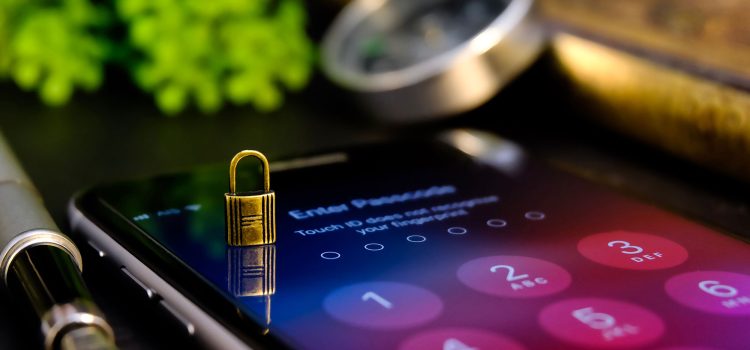
- The Passcode Screen: If you are on the screen asking for a PIN, tap the word “Emergency” in the bottom left corner. This opens a keypad where you can manually dial 000.
2. Calling from a Locked Android (2026)
While Android layouts vary (Samsung, Pixel, Oppo), the core emergency function is standardized in 2026.
- The Lock Screen Button: Swipe up as if to unlock the phone. Below the PIN/Pattern entry, tap the “Emergency Call” button. Dial 000 on the keypad that appears.
- Emergency SOS (The Power Button): Most 2026 Android phones allow you to press the Power Button 5 times to trigger an automatic 000 call.
- Medical Info: On this same screen, you can often tap “View Emergency Info” to see the owner’s blood type or allergies without needing their code.
3. Can I Call 000 Without a SIM or Credit?
Yes. In 2026, Australian law ensures that emergency access is a human right, not a paid service.
- No Credit: Calls to 000 are free from any mobile, even if your prepaid balance is $0.
- No SIM Card: You can call 000 even if the phone has no SIM card inserted.
- No Service (Camped-On): If your provider (e.g., Optus) has no signal in a rural area but Telstra does, your phone will “camp on” to the other network specifically for the 000 call.
4. The 2026 3G Shutdown Warning
If you are using an older 4G phone in 2026, it may be blocked from calling 000 even if it appears to work for normal calls.
- VoLTE Requirement: Your phone must support VoLTE Emergency Calling. If your device was manufactured before 2019, check with your provider immediately.
- Regulatory Blocks: As of late 2025, Australian telcos are legally required to block non-compliant handsets that cannot reliably reach 000. If your phone is blocked, it will not work even in an emergency.
5. What to Tell the Operator
Once the call connects from the lock screen:
- State your service: “Police,” “Fire,” or “Ambulance.”
- Confirm your location: Even though 2026 phones send Advanced Mobile Location (AML) data automatically, always verify your street name or nearest landmark.
- Stay on the line: Do not hang up until the operator tells you to, even if you dialed by mistake (just explain it was an accident).