1. The “Discrete-Dine” Protocol
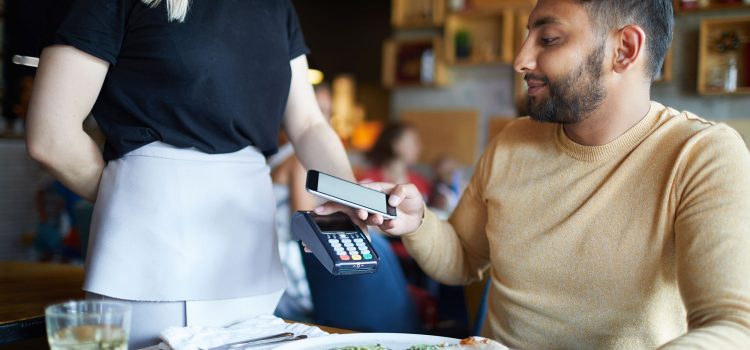
Unlike the old system where you had to show a digital voucher or a QR code to the waiter, EatClub Pay works through a virtual card in your phone’s wallet (Apple Pay or Google Pay).
- The “Magic” Step: When you tap your phone on the EFTPOS terminal to pay the full bill, EatClub’s backend intercepts the transaction.
- The Result: You are only charged the discounted amount (plus a small service fee), while the restaurant receives the payment through the EatClub system. The staff sees a standard successful card transaction on their end.
2. When You ShouldSpeak Up
While the payment is invisible, there are two specific 2026 scenarios where you might need to engage with the staff:
- The “Traditional” Voucher: A small number of venues still use the old QR-code voucher system instead of EatClub Pay. If the app shows a “Show Voucher” button instead of a “Pay with EatClub Card” prompt, you must show the code before they print the bill.
- Large Groups: If you have more guests than the offer allows (e.g., an offer for “Max 4 people” but you have 6), the discount may be invalidated. In 2026, it’s best to clarify if they can split the bill so the discount applies only to the eligible portion.
3. EatClub Pay vs. Liven: The 2026 Difference
If you use multiple apps to save on dining, the “announcement” rules differ:
- EatClub Pay: Stay Silent. Just tap and go.
- Liven Pay: Notify Staff. You usually need to tell the waiter you are “paying with Liven” so they can put the terminal into a specific mode or generate a QR code for you to scan.
4. 2026 “Pro-Tips” for a Smooth Exit
- Check the “Arrival Window”: In March 2026, EatClub has tightened its “Arrival Time” tracking. If you pay before or significantly after your claimed window, the discount might not trigger.
- The Service Fee Factor: Be aware that EatClub charges a small service fee (typically 1% to 6%). Even with this fee, you are usually saving 20%–50% on the total bill, including drinks.
- Battery Check: Since your discount relies entirely on a mobile tap, ensure your phone has enough battery to pay. If you have to use a physical backup card, you will pay the full price and lose the discount.