








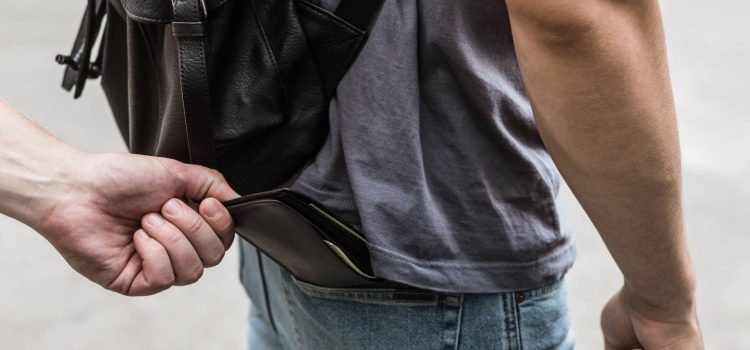
1. Immediate Lockdown (The 5-Minute Rule)
Before calling the police, stop the financial bleed.
- Digital Kill-Switch: Open your banking app (CommBank, ANZ, NAB, etc.) and use the “Lock Card” or “Report Lost/Stolen” feature. This is faster than calling and instantly stops unauthorized “Tap and Go” payments.
- Digital Wallet: If you use Apple Pay or Google Pay, your phone can still work even if the physical card is locked. Some banks in 2026 allow you to issue a Digital Replacement Card instantly so you can still buy food or transport.
2. Report to NSW Police (The “Event Number”)
You need a Police Event Number for insurance claims and for Service NSW to waive certain replacement fees.
- Non-Emergency (131 444): If there is no immediate danger, call PoliceLink or report it via the NSW Police Community Portal.
- In-Person (Sydney City PAC): If you prefer to speak to an officer, the main CBD station is Day Street Police Station (192 Day St, Sydney NSW 2000), located near Darling Harbour. It is open 24 hours.
3. Replace Your IDs at Service NSW
Once you have your Police Event Number, head to a Service NSW center (the closest CBD branch is at 19 York St, near Wynyard).
- Driver Licence/Photo Card: You can often order a replacement via the Service NSW app instantly.
- Digital ID: If you have the Service NSW app set up, your digital license remains valid even if the plastic one is stolen.
- Medicare: Request a new card through your MyGov account or the Express Plus Medicare app.
4. International Student Specifics
- Student ID: Visit your university’s student center (e.g., The Jane Foss Russell Building for USYD or UTS Building 1). A replacement usually costs $25–$35.
- Visa/Passport: If your passport was in your wallet, you must contact your country’s Consulate in Sydney immediately. You should also notify the Department of Home Affairs (131 881) if your visa grant notice or ImmiCard was lost.
5. The “Transport & Tech” Check
- Opal Card: If you have a physical Opal card, log into the Opal Travel App and “Unlink” the card to protect your balance. You can transfer the balance to a new card later.
- Find My Phone: If your phone was stolen with your wallet (e.g., in a bag), use “Find My iPhone” or “Find My Device” to remotely wipe your data and lock the device.
6. 2026 Recovery Checklist
| Item | Action | Contact |
| Bank Cards | Lock/Cancel via App | Your Bank’s App |
| Police Report | Get Event Number | 131 444 / Day St Station |
| Driver Licence | Replace ($0 with police report) | Service NSW (York St) |
| Passport | Report Theft & Replace | Your Local Consulate |
| Opal Card | Block & Transfer Balance | Opal.com.au / App |






