Australia Student & Expat Resource Hub | NammAustralia Australia Student & Expat Resource Hub | NammAustralia

Latest post

Is a Monthly Rideshare Statement an Official Tax Document?

Is a Monthly Rideshare Statement an Official Tax Document?

  • Aarav
  • July 16, 2026
Where to Find Rideshare Gross Earnings Statements for BAS (2026)

Where to Find Rideshare Gross Earnings Statements for BAS (2026)

  • Sara
  • July 16, 2026
How to Download Your Annual Tax Summary from the Uber Driver Dashboard

How to Download Your Annual Tax Summary from the Uber Driver Dashboard

  • Maithili
  • July 16, 2026

Popular Posts

Top 10 High-Interest Savings Accounts Australia: A Student Guide

Top 10 High-Interest Savings Accounts Australia: A Student Guide (537)

  • Aarav
  • March 6, 2026
Regional Australia Postcode List 2026: The “Extra 5 Points” Guide

Regional Australia Postcode List 2026: The “Extra 5 Points” Guide (505)

  • Maithili
  • March 17, 2026
Australia Student Visa Refund Policy: Rejection Guide

Australia Student Visa Refund Policy: Rejection Guide (469)

  • Sara
  • March 9, 2026
Felix Mobile Review 2026: Is the $20 Unlimited Data Plan Worth It?

Felix Mobile Review 2026: Is the $20 Unlimited Data Plan Worth It? (456)

  • Aarav
  • March 25, 2026
Telstra vs Optus vs Vodafone 2026: Australia’s Best Network Comparison

Telstra vs Optus vs Vodafone 2026: Australia’s Best Network Comparison (443)

  • Maithili
  • March 16, 2026

Stay Connected


Professionally fabricate client-centered content for superior expertise. Objectively leverage others covalent imperatives vis-a-vis state of the art potentialities. Competently matrix

Email: trendymag@domain.com
Phone: 00123 456 789

Popular Posts

Top 10 High-Interest Savings Accounts Australia: A Student Guide

Top 10 High-Interest Savings Accounts Australia: A Student Guide

Regional Australia Postcode List 2026: The “Extra 5 Points” Guide

Regional Australia Postcode List 2026: The “Extra 5 Points” Guide

Australia Student Visa Refund Policy: Rejection Guide

Australia Student Visa Refund Policy: Rejection Guide

Find us on Facebook

Find us on Facebook

Australia Student & Expat Resource Hub | NammAustralia Australia Student & Expat Resource Hub | NammAustralia

Featured
  • Start Here

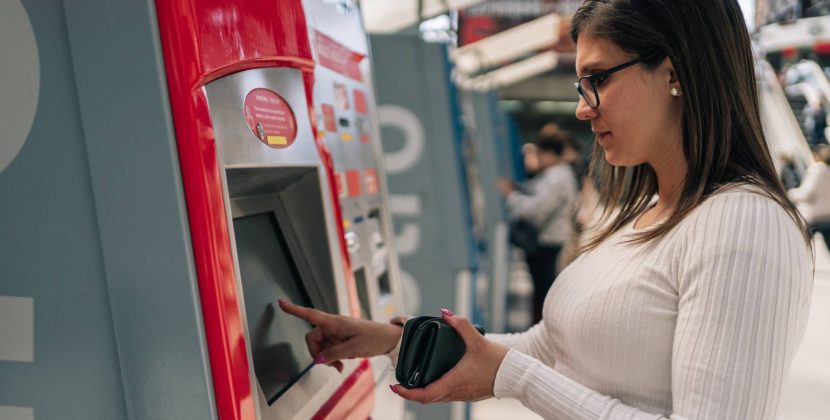
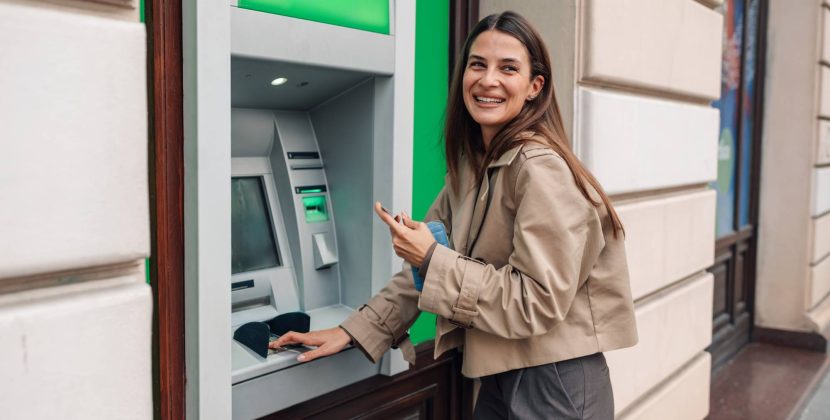
    1. Why Cardless is Skimmer-Proof

    Traditional skimming relies on two things: a physical reader over the card slot and a tiny "pinhole" camera to watch you type your PIN.

    • No Physical Contact: Since you never insert a card, there is no magnetic stripe for a skimmer to read.
    • Encrypted Tokens: Mobile wallets (Apple Pay, Google Pay) use "tokenization." Instead of your actual card number, a one-time encrypted code is sent to the ATM. Even if a hacker intercepted this signal, it would be useless for a second transaction.
    • Biometric Security: Most cardless methods require FaceID, TouchID, or a fingerprint on your phone, replacing the need to type a PIN on a potentially compromised keypad.


    2. Step-by-Step: How to Withdraw Cash Without a Card

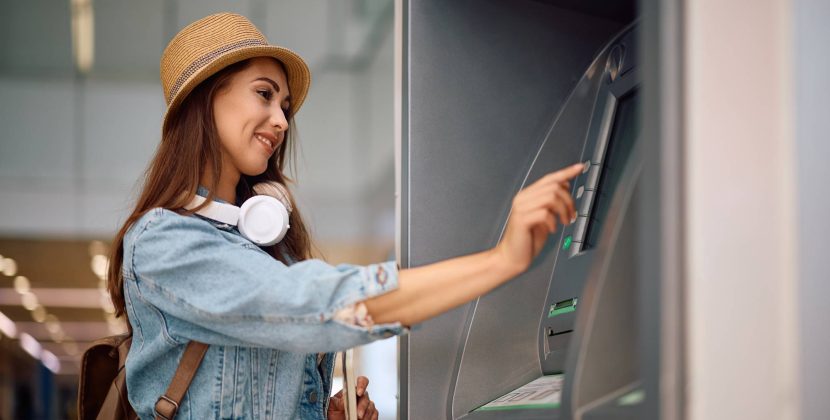
    In 2026, there are two main ways to access your cash using just your smartphone.


    Method A: The "Tap and Go" (NFC) Method

    This is the fastest method and works just like paying for groceries.

    1. Open your Digital Wallet (Apple Wallet, Google Wallet, or Samsung Pay).
    2. Select your Debit Card.
    3. Hold your phone near the NFC symbol on the ATM (usually a 4-bar radio wave icon).
    4. Authenticate on your phone using biometrics.
    5. Enter your PIN on the ATM screen (if requested) and select your amount.


    Method B: The "In-App Code" Method

    Ideal if you have forgotten your wallet entirely or need to authorize someone else to pick up cash for you.

    1. Open your Banking App (e.g., CommBank, Westpac, or ANZ).
    2. Select "Cardless Cash" or "Withdraw Cash."
    3. Choose the amount you want to withdraw.
    4. Receive a 6-digit code and a separate PIN via the app.
    5. At the ATM, select the "Cardless Cash" button on the screen and enter the codes provided.


    3. Safe 24-Hour Cardless Locations

    For the highest level of security, choose ATMs located in well-lit, high-surveillance areas.

    Westpac CDM 44 Market St CDM

    Westpac CDM 44 Market St CDM Click to open side panel for more information offers a highly secure environment for cardless transactions.

    • Located within a secure, glass-enclosed lobby that requires a card or phone tap for entry after hours.
    • Features modern "Smart ATMs" that are specifically designed with anti-skimming recessed bays.

    CBA ATM (Branch)

    CBA ATM (Branch) Click to open side panel for more information is part of the flagship Commonwealth Bank Town Hall Sydney Branch Click to open side panel for more information and is a leader in cardless technology.

    • Positioned in a high-traffic area on George Street with 24/7 lighting and security cameras.
    • The machines are frequently inspected for tampering by bank staff.


    4. 2026 Security Checklist

    • Cover the Keypad: Even if using cardless, get in the habit of covering your hand when entering a PIN. Pinhole cameras can still be active.
    • Avoid "Standalone" ATMs: Only use cardless features at major bank branches. Generic ATMs in the back of convenience stores are the most likely to be targeted by skimmers.
    • Enable Instant Alerts: Ensure your banking app is set to send a push notification for every withdrawal. If an unauthorized transaction occurs, you will know within seconds.

  • Study

    1. Why Cardless is Skimmer-Proof

    Traditional skimming relies on two things: a physical reader over the card slot and a tiny "pinhole" camera to watch you type your PIN.

    • No Physical Contact: Since you never insert a card, there is no magnetic stripe for a skimmer to read.
    • Encrypted Tokens: Mobile wallets (Apple Pay, Google Pay) use "tokenization." Instead of your actual card number, a one-time encrypted code is sent to the ATM. Even if a hacker intercepted this signal, it would be useless for a second transaction.
    • Biometric Security: Most cardless methods require FaceID, TouchID, or a fingerprint on your phone, replacing the need to type a PIN on a potentially compromised keypad.


    2. Step-by-Step: How to Withdraw Cash Without a Card

    In 2026, there are two main ways to access your cash using just your smartphone.


    Method A: The "Tap and Go" (NFC) Method

    This is the fastest method and works just like paying for groceries.

    1. Open your Digital Wallet (Apple Wallet, Google Wallet, or Samsung Pay).
    2. Select your Debit Card.
    3. Hold your phone near the NFC symbol on the ATM (usually a 4-bar radio wave icon).
    4. Authenticate on your phone using biometrics.
    5. Enter your PIN on the ATM screen (if requested) and select your amount.


    Method B: The "In-App Code" Method

    Ideal if you have forgotten your wallet entirely or need to authorize someone else to pick up cash for you.

    1. Open your Banking App (e.g., CommBank, Westpac, or ANZ).
    2. Select "Cardless Cash" or "Withdraw Cash."
    3. Choose the amount you want to withdraw.
    4. Receive a 6-digit code and a separate PIN via the app.
    5. At the ATM, select the "Cardless Cash" button on the screen and enter the codes provided.


    3. Safe 24-Hour Cardless Locations

    For the highest level of security, choose ATMs located in well-lit, high-surveillance areas.

    Westpac CDM 44 Market St CDM

    Westpac CDM 44 Market St CDM Click to open side panel for more information offers a highly secure environment for cardless transactions.

    • Located within a secure, glass-enclosed lobby that requires a card or phone tap for entry after hours.
    • Features modern "Smart ATMs" that are specifically designed with anti-skimming recessed bays.

    CBA ATM (Branch)

    CBA ATM (Branch) Click to open side panel for more information is part of the flagship Commonwealth Bank Town Hall Sydney Branch Click to open side panel for more information and is a leader in cardless technology.

    • Positioned in a high-traffic area on George Street with 24/7 lighting and security cameras.
    • The machines are frequently inspected for tampering by bank staff.


    4. 2026 Security Checklist

    • Cover the Keypad: Even if using cardless, get in the habit of covering your hand when entering a PIN. Pinhole cameras can still be active.
    • Avoid "Standalone" ATMs: Only use cardless features at major bank branches. Generic ATMs in the back of convenience stores are the most likely to be targeted by skimmers.
    • Enable Instant Alerts: Ensure your banking app is set to send a push notification for every withdrawal. If an unauthorized transaction occurs, you will know within seconds.

  • Work

    1. Why Cardless is Skimmer-Proof

    Traditional skimming relies on two things: a physical reader over the card slot and a tiny "pinhole" camera to watch you type your PIN.

    • No Physical Contact: Since you never insert a card, there is no magnetic stripe for a skimmer to read.
    • Encrypted Tokens: Mobile wallets (Apple Pay, Google Pay) use "tokenization." Instead of your actual card number, a one-time encrypted code is sent to the ATM. Even if a hacker intercepted this signal, it would be useless for a second transaction.
    • Biometric Security: Most cardless methods require FaceID, TouchID, or a fingerprint on your phone, replacing the need to type a PIN on a potentially compromised keypad.


    2. Step-by-Step: How to Withdraw Cash Without a Card

    In 2026, there are two main ways to access your cash using just your smartphone.


    Method A: The "Tap and Go" (NFC) Method

    This is the fastest method and works just like paying for groceries.

    1. Open your Digital Wallet (Apple Wallet, Google Wallet, or Samsung Pay).
    2. Select your Debit Card.
    3. Hold your phone near the NFC symbol on the ATM (usually a 4-bar radio wave icon).
    4. Authenticate on your phone using biometrics.
    5. Enter your PIN on the ATM screen (if requested) and select your amount.


    Method B: The "In-App Code" Method

    Ideal if you have forgotten your wallet entirely or need to authorize someone else to pick up cash for you.

    1. Open your Banking App (e.g., CommBank, Westpac, or ANZ).
    2. Select "Cardless Cash" or "Withdraw Cash."
    3. Choose the amount you want to withdraw.
    4. Receive a 6-digit code and a separate PIN via the app.
    5. At the ATM, select the "Cardless Cash" button on the screen and enter the codes provided.


    3. Safe 24-Hour Cardless Locations

    For the highest level of security, choose ATMs located in well-lit, high-surveillance areas.

    Westpac CDM 44 Market St CDM

    Westpac CDM 44 Market St CDM Click to open side panel for more information offers a highly secure environment for cardless transactions.

    • Located within a secure, glass-enclosed lobby that requires a card or phone tap for entry after hours.
    • Features modern "Smart ATMs" that are specifically designed with anti-skimming recessed bays.

    CBA ATM (Branch)

    CBA ATM (Branch) Click to open side panel for more information is part of the flagship Commonwealth Bank Town Hall Sydney Branch Click to open side panel for more information and is a leader in cardless technology.

    • Positioned in a high-traffic area on George Street with 24/7 lighting and security cameras.
    • The machines are frequently inspected for tampering by bank staff.


    4. 2026 Security Checklist

    • Cover the Keypad: Even if using cardless, get in the habit of covering your hand when entering a PIN. Pinhole cameras can still be active.
    • Avoid "Standalone" ATMs: Only use cardless features at major bank branches. Generic ATMs in the back of convenience stores are the most likely to be targeted by skimmers.
    • Enable Instant Alerts: Ensure your banking app is set to send a push notification for every withdrawal. If an unauthorized transaction occurs, you will know within seconds.

  • Living in Australia

    1. Why Cardless is Skimmer-Proof

    Traditional skimming relies on two things: a physical reader over the card slot and a tiny "pinhole" camera to watch you type your PIN.

    • No Physical Contact: Since you never insert a card, there is no magnetic stripe for a skimmer to read.
    • Encrypted Tokens: Mobile wallets (Apple Pay, Google Pay) use "tokenization." Instead of your actual card number, a one-time encrypted code is sent to the ATM. Even if a hacker intercepted this signal, it would be useless for a second transaction.
    • Biometric Security: Most cardless methods require FaceID, TouchID, or a fingerprint on your phone, replacing the need to type a PIN on a potentially compromised keypad.


    2. Step-by-Step: How to Withdraw Cash Without a Card

    In 2026, there are two main ways to access your cash using just your smartphone.


    Method A: The "Tap and Go" (NFC) Method

    This is the fastest method and works just like paying for groceries.

    1. Open your Digital Wallet (Apple Wallet, Google Wallet, or Samsung Pay).
    2. Select your Debit Card.
    3. Hold your phone near the NFC symbol on the ATM (usually a 4-bar radio wave icon).
    4. Authenticate on your phone using biometrics.
    5. Enter your PIN on the ATM screen (if requested) and select your amount.


    Method B: The "In-App Code" Method

    Ideal if you have forgotten your wallet entirely or need to authorize someone else to pick up cash for you.

    1. Open your Banking App (e.g., CommBank, Westpac, or ANZ).
    2. Select "Cardless Cash" or "Withdraw Cash."
    3. Choose the amount you want to withdraw.
    4. Receive a 6-digit code and a separate PIN via the app.
    5. At the ATM, select the "Cardless Cash" button on the screen and enter the codes provided.


    3. Safe 24-Hour Cardless Locations

    For the highest level of security, choose ATMs located in well-lit, high-surveillance areas.

    Westpac CDM 44 Market St CDM

    Westpac CDM 44 Market St CDM Click to open side panel for more information offers a highly secure environment for cardless transactions.

    • Located within a secure, glass-enclosed lobby that requires a card or phone tap for entry after hours.
    • Features modern "Smart ATMs" that are specifically designed with anti-skimming recessed bays.

    CBA ATM (Branch)

    CBA ATM (Branch) Click to open side panel for more information is part of the flagship Commonwealth Bank Town Hall Sydney Branch Click to open side panel for more information and is a leader in cardless technology.

    • Positioned in a high-traffic area on George Street with 24/7 lighting and security cameras.
    • The machines are frequently inspected for tampering by bank staff.


    4. 2026 Security Checklist

    • Cover the Keypad: Even if using cardless, get in the habit of covering your hand when entering a PIN. Pinhole cameras can still be active.
    • Avoid "Standalone" ATMs: Only use cardless features at major bank branches. Generic ATMs in the back of convenience stores are the most likely to be targeted by skimmers.
    • Enable Instant Alerts: Ensure your banking app is set to send a push notification for every withdrawal. If an unauthorized transaction occurs, you will know within seconds.

    • Accommodation
    • Banking
    • Food
    • Lifestyle
    • Health & Wellness
  • Travel

    1. Why Cardless is Skimmer-Proof

    Traditional skimming relies on two things: a physical reader over the card slot and a tiny "pinhole" camera to watch you type your PIN.

    • No Physical Contact: Since you never insert a card, there is no magnetic stripe for a skimmer to read.
    • Encrypted Tokens: Mobile wallets (Apple Pay, Google Pay) use "tokenization." Instead of your actual card number, a one-time encrypted code is sent to the ATM. Even if a hacker intercepted this signal, it would be useless for a second transaction.
    • Biometric Security: Most cardless methods require FaceID, TouchID, or a fingerprint on your phone, replacing the need to type a PIN on a potentially compromised keypad.


    2. Step-by-Step: How to Withdraw Cash Without a Card

    In 2026, there are two main ways to access your cash using just your smartphone.


    Method A: The "Tap and Go" (NFC) Method

    This is the fastest method and works just like paying for groceries.

    1. Open your Digital Wallet (Apple Wallet, Google Wallet, or Samsung Pay).
    2. Select your Debit Card.
    3. Hold your phone near the NFC symbol on the ATM (usually a 4-bar radio wave icon).
    4. Authenticate on your phone using biometrics.
    5. Enter your PIN on the ATM screen (if requested) and select your amount.


    Method B: The "In-App Code" Method

    Ideal if you have forgotten your wallet entirely or need to authorize someone else to pick up cash for you.

    1. Open your Banking App (e.g., CommBank, Westpac, or ANZ).
    2. Select "Cardless Cash" or "Withdraw Cash."
    3. Choose the amount you want to withdraw.
    4. Receive a 6-digit code and a separate PIN via the app.
    5. At the ATM, select the "Cardless Cash" button on the screen and enter the codes provided.


    3. Safe 24-Hour Cardless Locations

    For the highest level of security, choose ATMs located in well-lit, high-surveillance areas.

    Westpac CDM 44 Market St CDM

    Westpac CDM 44 Market St CDM Click to open side panel for more information offers a highly secure environment for cardless transactions.

    • Located within a secure, glass-enclosed lobby that requires a card or phone tap for entry after hours.
    • Features modern "Smart ATMs" that are specifically designed with anti-skimming recessed bays.

    CBA ATM (Branch)

    CBA ATM (Branch) Click to open side panel for more information is part of the flagship Commonwealth Bank Town Hall Sydney Branch Click to open side panel for more information and is a leader in cardless technology.

    • Positioned in a high-traffic area on George Street with 24/7 lighting and security cameras.
    • The machines are frequently inspected for tampering by bank staff.


    4. 2026 Security Checklist

    • Cover the Keypad: Even if using cardless, get in the habit of covering your hand when entering a PIN. Pinhole cameras can still be active.
    • Avoid "Standalone" ATMs: Only use cardless features at major bank branches. Generic ATMs in the back of convenience stores are the most likely to be targeted by skimmers.
    • Enable Instant Alerts: Ensure your banking app is set to send a push notification for every withdrawal. If an unauthorized transaction occurs, you will know within seconds.

  • Visa & Immigration

    1. Why Cardless is Skimmer-Proof

    Traditional skimming relies on two things: a physical reader over the card slot and a tiny "pinhole" camera to watch you type your PIN.

    • No Physical Contact: Since you never insert a card, there is no magnetic stripe for a skimmer to read.
    • Encrypted Tokens: Mobile wallets (Apple Pay, Google Pay) use "tokenization." Instead of your actual card number, a one-time encrypted code is sent to the ATM. Even if a hacker intercepted this signal, it would be useless for a second transaction.
    • Biometric Security: Most cardless methods require FaceID, TouchID, or a fingerprint on your phone, replacing the need to type a PIN on a potentially compromised keypad.


    2. Step-by-Step: How to Withdraw Cash Without a Card

    In 2026, there are two main ways to access your cash using just your smartphone.


    Method A: The "Tap and Go" (NFC) Method

    This is the fastest method and works just like paying for groceries.

    1. Open your Digital Wallet (Apple Wallet, Google Wallet, or Samsung Pay).
    2. Select your Debit Card.
    3. Hold your phone near the NFC symbol on the ATM (usually a 4-bar radio wave icon).
    4. Authenticate on your phone using biometrics.
    5. Enter your PIN on the ATM screen (if requested) and select your amount.


    Method B: The "In-App Code" Method

    Ideal if you have forgotten your wallet entirely or need to authorize someone else to pick up cash for you.

    1. Open your Banking App (e.g., CommBank, Westpac, or ANZ).
    2. Select "Cardless Cash" or "Withdraw Cash."
    3. Choose the amount you want to withdraw.
    4. Receive a 6-digit code and a separate PIN via the app.
    5. At the ATM, select the "Cardless Cash" button on the screen and enter the codes provided.


    3. Safe 24-Hour Cardless Locations

    For the highest level of security, choose ATMs located in well-lit, high-surveillance areas.

    Westpac CDM 44 Market St CDM

    Westpac CDM 44 Market St CDM Click to open side panel for more information offers a highly secure environment for cardless transactions.

    • Located within a secure, glass-enclosed lobby that requires a card or phone tap for entry after hours.
    • Features modern "Smart ATMs" that are specifically designed with anti-skimming recessed bays.

    CBA ATM (Branch)

    CBA ATM (Branch) Click to open side panel for more information is part of the flagship Commonwealth Bank Town Hall Sydney Branch Click to open side panel for more information and is a leader in cardless technology.

    • Positioned in a high-traffic area on George Street with 24/7 lighting and security cameras.
    • The machines are frequently inspected for tampering by bank staff.


    4. 2026 Security Checklist

    • Cover the Keypad: Even if using cardless, get in the habit of covering your hand when entering a PIN. Pinhole cameras can still be active.
    • Avoid "Standalone" ATMs: Only use cardless features at major bank branches. Generic ATMs in the back of convenience stores are the most likely to be targeted by skimmers.
    • Enable Instant Alerts: Ensure your banking app is set to send a push notification for every withdrawal. If an unauthorized transaction occurs, you will know within seconds.

    • Family & Partner Visas
    • Permanent Residency (PR)
    • Student Visas
    • Work & Skilled Visas
  • Parents Hub

    1. Why Cardless is Skimmer-Proof

    Traditional skimming relies on two things: a physical reader over the card slot and a tiny "pinhole" camera to watch you type your PIN.

    • No Physical Contact: Since you never insert a card, there is no magnetic stripe for a skimmer to read.
    • Encrypted Tokens: Mobile wallets (Apple Pay, Google Pay) use "tokenization." Instead of your actual card number, a one-time encrypted code is sent to the ATM. Even if a hacker intercepted this signal, it would be useless for a second transaction.
    • Biometric Security: Most cardless methods require FaceID, TouchID, or a fingerprint on your phone, replacing the need to type a PIN on a potentially compromised keypad.


    2. Step-by-Step: How to Withdraw Cash Without a Card

    In 2026, there are two main ways to access your cash using just your smartphone.


    Method A: The "Tap and Go" (NFC) Method

    This is the fastest method and works just like paying for groceries.

    1. Open your Digital Wallet (Apple Wallet, Google Wallet, or Samsung Pay).
    2. Select your Debit Card.
    3. Hold your phone near the NFC symbol on the ATM (usually a 4-bar radio wave icon).
    4. Authenticate on your phone using biometrics.
    5. Enter your PIN on the ATM screen (if requested) and select your amount.


    Method B: The "In-App Code" Method

    Ideal if you have forgotten your wallet entirely or need to authorize someone else to pick up cash for you.

    1. Open your Banking App (e.g., CommBank, Westpac, or ANZ).
    2. Select "Cardless Cash" or "Withdraw Cash."
    3. Choose the amount you want to withdraw.
    4. Receive a 6-digit code and a separate PIN via the app.
    5. At the ATM, select the "Cardless Cash" button on the screen and enter the codes provided.


    3. Safe 24-Hour Cardless Locations

    For the highest level of security, choose ATMs located in well-lit, high-surveillance areas.

    Westpac CDM 44 Market St CDM

    Westpac CDM 44 Market St CDM Click to open side panel for more information offers a highly secure environment for cardless transactions.

    • Located within a secure, glass-enclosed lobby that requires a card or phone tap for entry after hours.
    • Features modern "Smart ATMs" that are specifically designed with anti-skimming recessed bays.

    CBA ATM (Branch)

    CBA ATM (Branch) Click to open side panel for more information is part of the flagship Commonwealth Bank Town Hall Sydney Branch Click to open side panel for more information and is a leader in cardless technology.

    • Positioned in a high-traffic area on George Street with 24/7 lighting and security cameras.
    • The machines are frequently inspected for tampering by bank staff.


    4. 2026 Security Checklist

    • Cover the Keypad: Even if using cardless, get in the habit of covering your hand when entering a PIN. Pinhole cameras can still be active.
    • Avoid "Standalone" ATMs: Only use cardless features at major bank branches. Generic ATMs in the back of convenience stores are the most likely to be targeted by skimmers.
    • Enable Instant Alerts: Ensure your banking app is set to send a push notification for every withdrawal. If an unauthorized transaction occurs, you will know within seconds.

  • Student Hub

    1. Why Cardless is Skimmer-Proof

    Traditional skimming relies on two things: a physical reader over the card slot and a tiny "pinhole" camera to watch you type your PIN.

    • No Physical Contact: Since you never insert a card, there is no magnetic stripe for a skimmer to read.
    • Encrypted Tokens: Mobile wallets (Apple Pay, Google Pay) use "tokenization." Instead of your actual card number, a one-time encrypted code is sent to the ATM. Even if a hacker intercepted this signal, it would be useless for a second transaction.
    • Biometric Security: Most cardless methods require FaceID, TouchID, or a fingerprint on your phone, replacing the need to type a PIN on a potentially compromised keypad.


    2. Step-by-Step: How to Withdraw Cash Without a Card

    In 2026, there are two main ways to access your cash using just your smartphone.


    Method A: The "Tap and Go" (NFC) Method

    This is the fastest method and works just like paying for groceries.

    1. Open your Digital Wallet (Apple Wallet, Google Wallet, or Samsung Pay).
    2. Select your Debit Card.
    3. Hold your phone near the NFC symbol on the ATM (usually a 4-bar radio wave icon).
    4. Authenticate on your phone using biometrics.
    5. Enter your PIN on the ATM screen (if requested) and select your amount.


    Method B: The "In-App Code" Method

    Ideal if you have forgotten your wallet entirely or need to authorize someone else to pick up cash for you.

    1. Open your Banking App (e.g., CommBank, Westpac, or ANZ).
    2. Select "Cardless Cash" or "Withdraw Cash."
    3. Choose the amount you want to withdraw.
    4. Receive a 6-digit code and a separate PIN via the app.
    5. At the ATM, select the "Cardless Cash" button on the screen and enter the codes provided.


    3. Safe 24-Hour Cardless Locations

    For the highest level of security, choose ATMs located in well-lit, high-surveillance areas.

    Westpac CDM 44 Market St CDM

    Westpac CDM 44 Market St CDM Click to open side panel for more information offers a highly secure environment for cardless transactions.

    • Located within a secure, glass-enclosed lobby that requires a card or phone tap for entry after hours.
    • Features modern "Smart ATMs" that are specifically designed with anti-skimming recessed bays.

    CBA ATM (Branch)

    CBA ATM (Branch) Click to open side panel for more information is part of the flagship Commonwealth Bank Town Hall Sydney Branch Click to open side panel for more information and is a leader in cardless technology.

    • Positioned in a high-traffic area on George Street with 24/7 lighting and security cameras.
    • The machines are frequently inspected for tampering by bank staff.


    4. 2026 Security Checklist

    • Cover the Keypad: Even if using cardless, get in the habit of covering your hand when entering a PIN. Pinhole cameras can still be active.
    • Avoid "Standalone" ATMs: Only use cardless features at major bank branches. Generic ATMs in the back of convenience stores are the most likely to be targeted by skimmers.
    • Enable Instant Alerts: Ensure your banking app is set to send a push notification for every withdrawal. If an unauthorized transaction occurs, you will know within seconds.

Category: Banking

  • Home
  • Banking
How to Use Cardless ATM Withdrawal to Avoid Skimming (2026 Guide)

How to Use Cardless ATM Withdrawal to Avoid Skimming (2026 Guide)

  • Sara
  • April 28, 2026
  • 4 min read
  • 39
Safe 24-Hour ATMs Near Town Hall Sydney CBD (2026 Guide)

Safe 24-Hour ATMs Near Town Hall Sydney CBD (2026 Guide)

  • Maithili
  • April 28, 2026
  • 3 min read
  • 37
How to Build a Credit Score in Australia Without a Credit Card (2026)

How to Build a Credit Score in Australia Without a Credit Card (2026)

  • Sara
  • April 28, 2026
  • 3 min read
  • 49
Top 3 Places to Exchange Indian Rupee (INR) for AUD in Melbourne (2026)

Top 3 Places to Exchange Indian Rupee (INR) for AUD in Melbourne (2026)

  • Sara
  • April 27, 2026
  • 3 min read
  • 38
Is it Cheaper to Exchange Cash at a Bank or Money Changer? (2026)

Is it Cheaper to Exchange Cash at a Bank or Money Changer? (2026)

  • Aarav
  • April 27, 2026
  • 3 min read
  • 59
What is a Zero-Forex Card? Why Every International Student Needs One (2026)

What is a Zero-Forex Card? Why Every International Student Needs One (2026)

  • Sara
  • April 27, 2026
  • 2 min read
  • 55
How to Transfer Tuition Fees to Australia Without High Bank Charges (2026)

How to Transfer Tuition Fees to Australia Without High Bank Charges (2026)

  • Maithili
  • April 27, 2026
  • 3 min read
  • 59
Does Commonwealth Bank Charge International Students for ATM Use? (2026)

Does Commonwealth Bank Charge International Students for ATM Use? (2026)

  • Aarav
  • April 27, 2026
  • 3 min read
  • 54
Top 3 Interest-Free Alternatives to Credit Cards for Students (2026)

Top 3 Interest-Free Alternatives to Credit Cards for Students (2026)

  • Maithili
  • April 27, 2026
  • 3 min read
  • 41
Best Way to Exchange Foreign Currency for Cash in Melbourne (2026)

Best Way to Exchange Foreign Currency for Cash in Melbourne (2026)

  • Aarav
  • April 27, 2026
  • 3 min read
  • 71
  • Prev.
  • 1
  • …
  • 12
  • 13
  • 14
  • 15
  • 16
  • 17
  • Next

Popular Post

Top 10 High-Interest Savings Accounts Australia: A Student Guide

Top 10 High-Interest Savings Accounts Australia: A Student Guide (537)

  • Aarav
  • March 6, 2026
Regional Australia Postcode List 2026: The “Extra 5 Points” Guide

Regional Australia Postcode List 2026: The “Extra 5 Points” Guide (505)

  • Maithili
  • March 17, 2026
Australia Student Visa Refund Policy: Rejection Guide

Australia Student Visa Refund Policy: Rejection Guide (469)

  • Sara
  • March 9, 2026
Felix Mobile Review 2026: Is the $20 Unlimited Data Plan Worth It?

Felix Mobile Review 2026: Is the $20 Unlimited Data Plan Worth It? (456)

  • Aarav
  • March 25, 2026
Telstra vs Optus vs Vodafone 2026: Australia’s Best Network Comparison

Telstra vs Optus vs Vodafone 2026: Australia’s Best Network Comparison (443)

  • Maithili
  • March 16, 2026

Newsletter

Weather

Dhaka
overcast clouds
26℃
humidity: 93%
wind: 4.85 km/h
  • 26℃
    Wed
  • 25℃
    Thu
  • 29℃
    Fri
  • 33℃
    Sat
  • 33℃
    Sun
  • 26℃
    Mon
  • 32℃
    Tue

How to Spot Authentic Australian-Made Skincare Products (2026)

  • Buhgalteri_blMr
  • 17 Jul 2026

How to Spot Authentic Australian-Made Skincare Products (2026)

  • Buhgalteri_yqMr
  • 17 Jul 2026

How to Spot Authentic Australian-Made Skincare Products (2026)

  • buhgalters_fypn
  • 12 Jul 2026

How to Spot Authentic Australian-Made Skincare Products (2026)

  • stoleshnic_sqEn
  • 9 Jul 2026

How to Spot Authentic Australian-Made Skincare Products (2026)

  • dizaynersk_udOn
  • 9 Jul 2026
Australia Student & Expat Resource Hub | NammAustralia

Nammaustralia is a practical guide for international students moving to Australia. We cover visas, jobs, accommodation, cost of living, and PR pathways with clear, research-based insights for Indian and GCC students.

Disclaimer: The information provided is for general informational purposes only. Please verify details with official sources. We are not liable for decisions made based on this content.

Start Your Journey

  • Pre-Departure Checklist
  • First 48 Hours Guide
  • Student Visa 500 Guide
  • Student Budget 2026
  • TFN Application Guide

Explore by Topic

  • Study in Australia
  • Work in Australia
  • PR & Immigration
  • Accommodation
  • Life in Australia

© 2026 Nammaustralia. All rights reserved.

  • Privacy Policy
  • Disclaimer
  • Terms of Use
✉

Living in or moving to Australia?

Join 2,400+ expats getting weekly guides on banking, accommodation, visas & student life in Australia

🔒  No spam. Unsubscribe anytime.