Australia Student & Expat Resource Hub | NammAustralia Australia Student & Expat Resource Hub | NammAustralia

Latest post

Is a Monthly Rideshare Statement an Official Tax Document?

Is a Monthly Rideshare Statement an Official Tax Document?

  • Aarav
  • July 16, 2026
Where to Find Rideshare Gross Earnings Statements for BAS (2026)

Where to Find Rideshare Gross Earnings Statements for BAS (2026)

  • Sara
  • July 16, 2026
How to Download Your Annual Tax Summary from the Uber Driver Dashboard

How to Download Your Annual Tax Summary from the Uber Driver Dashboard

  • Maithili
  • July 16, 2026

Popular Posts

Bringing Your Spouse to Australia 2026: Dependent Visa & Work Rights

Bringing Your Spouse to Australia 2026: Dependent Visa & Work Rights (1214)

  • Sara
  • March 5, 2026
Regional Australia Postcode List 2026: The “Extra 5 Points” Guide

Regional Australia Postcode List 2026: The “Extra 5 Points” Guide (829)

  • Maithili
  • March 17, 2026
Top 10 High-Interest Savings Accounts Australia: A Student Guide

Top 10 High-Interest Savings Accounts Australia: A Student Guide (739)

  • Aarav
  • March 6, 2026
Telstra vs Optus vs Vodafone 2026: Australia’s Best Network Comparison

Telstra vs Optus vs Vodafone 2026: Australia’s Best Network Comparison (719)

  • Maithili
  • March 16, 2026
Australia Student Visa Refund Policy: Rejection Guide

Australia Student Visa Refund Policy: Rejection Guide (631)

  • Sara
  • March 9, 2026

Stay Connected


Professionally fabricate client-centered content for superior expertise. Objectively leverage others covalent imperatives vis-a-vis state of the art potentialities. Competently matrix

Email: trendymag@domain.com
Phone: 00123 456 789

Popular Posts

Bringing Your Spouse to Australia 2026: Dependent Visa & Work Rights

Bringing Your Spouse to Australia 2026: Dependent Visa & Work Rights

Regional Australia Postcode List 2026: The “Extra 5 Points” Guide

Regional Australia Postcode List 2026: The “Extra 5 Points” Guide

Top 10 High-Interest Savings Accounts Australia: A Student Guide

Top 10 High-Interest Savings Accounts Australia: A Student Guide

Find us on Facebook

Find us on Facebook

Australia Student & Expat Resource Hub | NammAustralia Australia Student & Expat Resource Hub | NammAustralia

Featured
  • Start Here

    1. Can You Exchange Money Without a Passport?

    If you are an international tourist, the answer is almost always no. For non-residents, a valid foreign passport is the primary "Gold Standard" ID required by AUSTRAC to prevent money laundering.

    However, if you are a local resident or international student, you have more options. Under the AML/CTF Transitional Rules 2026, banks and money changers can accept:

    • Australian Driver Licence: A physical or Victorian Digital Driver Licence is generally accepted for most transactions.
    • Proof of Age Card: Government-issued 18+ cards are valid primary photo IDs.
    • Australian Digital ID: If the money changer is part of the Australian Government Digital ID System (AGDIS), you may be able to verify your identity via your phone without physical documents.


    2. The "Student Exception"

    If you are an international student and have lost your passport, some university-linked bank branches (like CommBank Click to open side panel for more information or NAB Click to open side panel for more information may allow you to use a combination of secondary IDs:

    • A Valid Student ID card (from an Australian Tertiary Institution).
    • A Certified Copy of your Birth Certificate (with an English translation).
    • A Digital Student Visa (linked to your VEVO check).


    3. Transaction Limits & "Red Flags"

    The stricter the amount, the stricter the ID requirement:

    • Under $1,000 AUD: Some smaller kiosks might accept a local driver's license without issue.
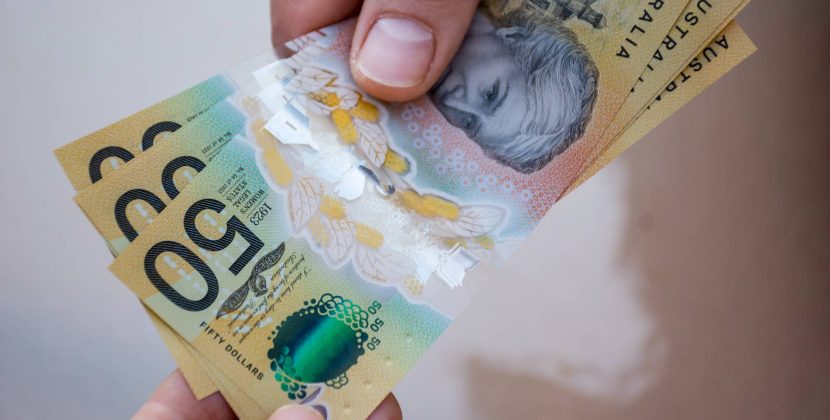
    • Over $10,000 AUD: This triggers a Threshold Transaction Report (TTR). In 2026, most institutions will only accept a physical passport or a high-level Digital ID for these amounts.


    4. What to Do If You Have No ID At All

    If you have lost your wallet and your passport:

    1. Use Digital Banking: If you have an Australian bank account, use your banking app to transfer money to a friend who does have ID, or use Cardless Cash at an ATM (if available).
    2. Visit Your Embassy: If you are a tourist, you must get an emergency travel document. Most money changers will accept an official "Emergency Passport" for small exchanges.
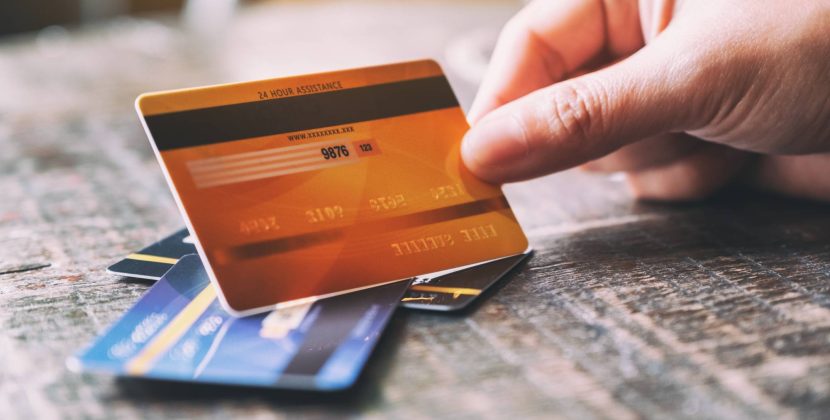
    3. Third-Party Apps: Use Wise or Revolut to pay for things directly via your phone's NFC. Australia is 99% cashless in 2026; you may not actually need physical cash.
  • Study

    1. Can You Exchange Money Without a Passport?

    If you are an international tourist, the answer is almost always no. For non-residents, a valid foreign passport is the primary "Gold Standard" ID required by AUSTRAC to prevent money laundering.

    However, if you are a local resident or international student, you have more options. Under the AML/CTF Transitional Rules 2026, banks and money changers can accept:

    • Australian Driver Licence: A physical or Victorian Digital Driver Licence is generally accepted for most transactions.
    • Proof of Age Card: Government-issued 18+ cards are valid primary photo IDs.
    • Australian Digital ID: If the money changer is part of the Australian Government Digital ID System (AGDIS), you may be able to verify your identity via your phone without physical documents.


    2. The "Student Exception"

    If you are an international student and have lost your passport, some university-linked bank branches (like CommBank Click to open side panel for more information or NAB Click to open side panel for more information may allow you to use a combination of secondary IDs:

    • A Valid Student ID card (from an Australian Tertiary Institution).
    • A Certified Copy of your Birth Certificate (with an English translation).
    • A Digital Student Visa (linked to your VEVO check).


    3. Transaction Limits & "Red Flags"

    The stricter the amount, the stricter the ID requirement:

    • Under $1,000 AUD: Some smaller kiosks might accept a local driver's license without issue.
    • Over $10,000 AUD: This triggers a Threshold Transaction Report (TTR). In 2026, most institutions will only accept a physical passport or a high-level Digital ID for these amounts.


    4. What to Do If You Have No ID At All

    If you have lost your wallet and your passport:

    1. Use Digital Banking: If you have an Australian bank account, use your banking app to transfer money to a friend who does have ID, or use Cardless Cash at an ATM (if available).
    2. Visit Your Embassy: If you are a tourist, you must get an emergency travel document. Most money changers will accept an official "Emergency Passport" for small exchanges.
    3. Third-Party Apps: Use Wise or Revolut to pay for things directly via your phone's NFC. Australia is 99% cashless in 2026; you may not actually need physical cash.
  • Work

    1. Can You Exchange Money Without a Passport?

    If you are an international tourist, the answer is almost always no. For non-residents, a valid foreign passport is the primary "Gold Standard" ID required by AUSTRAC to prevent money laundering.

    However, if you are a local resident or international student, you have more options. Under the AML/CTF Transitional Rules 2026, banks and money changers can accept:

    • Australian Driver Licence: A physical or Victorian Digital Driver Licence is generally accepted for most transactions.
    • Proof of Age Card: Government-issued 18+ cards are valid primary photo IDs.
    • Australian Digital ID: If the money changer is part of the Australian Government Digital ID System (AGDIS), you may be able to verify your identity via your phone without physical documents.


    2. The "Student Exception"

    If you are an international student and have lost your passport, some university-linked bank branches (like CommBank Click to open side panel for more information or NAB Click to open side panel for more information may allow you to use a combination of secondary IDs:

    • A Valid Student ID card (from an Australian Tertiary Institution).
    • A Certified Copy of your Birth Certificate (with an English translation).
    • A Digital Student Visa (linked to your VEVO check).


    3. Transaction Limits & "Red Flags"

    The stricter the amount, the stricter the ID requirement:

    • Under $1,000 AUD: Some smaller kiosks might accept a local driver's license without issue.
    • Over $10,000 AUD: This triggers a Threshold Transaction Report (TTR). In 2026, most institutions will only accept a physical passport or a high-level Digital ID for these amounts.


    4. What to Do If You Have No ID At All

    If you have lost your wallet and your passport:

    1. Use Digital Banking: If you have an Australian bank account, use your banking app to transfer money to a friend who does have ID, or use Cardless Cash at an ATM (if available).
    2. Visit Your Embassy: If you are a tourist, you must get an emergency travel document. Most money changers will accept an official "Emergency Passport" for small exchanges.
    3. Third-Party Apps: Use Wise or Revolut to pay for things directly via your phone's NFC. Australia is 99% cashless in 2026; you may not actually need physical cash.
  • Living in Australia

    1. Can You Exchange Money Without a Passport?

    If you are an international tourist, the answer is almost always no. For non-residents, a valid foreign passport is the primary "Gold Standard" ID required by AUSTRAC to prevent money laundering.

    However, if you are a local resident or international student, you have more options. Under the AML/CTF Transitional Rules 2026, banks and money changers can accept:

    • Australian Driver Licence: A physical or Victorian Digital Driver Licence is generally accepted for most transactions.
    • Proof of Age Card: Government-issued 18+ cards are valid primary photo IDs.
    • Australian Digital ID: If the money changer is part of the Australian Government Digital ID System (AGDIS), you may be able to verify your identity via your phone without physical documents.


    2. The "Student Exception"

    If you are an international student and have lost your passport, some university-linked bank branches (like CommBank Click to open side panel for more information or NAB Click to open side panel for more information may allow you to use a combination of secondary IDs:

    • A Valid Student ID card (from an Australian Tertiary Institution).
    • A Certified Copy of your Birth Certificate (with an English translation).
    • A Digital Student Visa (linked to your VEVO check).


    3. Transaction Limits & "Red Flags"

    The stricter the amount, the stricter the ID requirement:

    • Under $1,000 AUD: Some smaller kiosks might accept a local driver's license without issue.
    • Over $10,000 AUD: This triggers a Threshold Transaction Report (TTR). In 2026, most institutions will only accept a physical passport or a high-level Digital ID for these amounts.


    4. What to Do If You Have No ID At All

    If you have lost your wallet and your passport:

    1. Use Digital Banking: If you have an Australian bank account, use your banking app to transfer money to a friend who does have ID, or use Cardless Cash at an ATM (if available).
    2. Visit Your Embassy: If you are a tourist, you must get an emergency travel document. Most money changers will accept an official "Emergency Passport" for small exchanges.
    3. Third-Party Apps: Use Wise or Revolut to pay for things directly via your phone's NFC. Australia is 99% cashless in 2026; you may not actually need physical cash.
    • Accommodation
    • Banking
    • Food
    • Lifestyle
    • Health & Wellness
  • Travel

    1. Can You Exchange Money Without a Passport?

    If you are an international tourist, the answer is almost always no. For non-residents, a valid foreign passport is the primary "Gold Standard" ID required by AUSTRAC to prevent money laundering.

    However, if you are a local resident or international student, you have more options. Under the AML/CTF Transitional Rules 2026, banks and money changers can accept:

    • Australian Driver Licence: A physical or Victorian Digital Driver Licence is generally accepted for most transactions.
    • Proof of Age Card: Government-issued 18+ cards are valid primary photo IDs.
    • Australian Digital ID: If the money changer is part of the Australian Government Digital ID System (AGDIS), you may be able to verify your identity via your phone without physical documents.


    2. The "Student Exception"

    If you are an international student and have lost your passport, some university-linked bank branches (like CommBank Click to open side panel for more information or NAB Click to open side panel for more information may allow you to use a combination of secondary IDs:

    • A Valid Student ID card (from an Australian Tertiary Institution).
    • A Certified Copy of your Birth Certificate (with an English translation).
    • A Digital Student Visa (linked to your VEVO check).


    3. Transaction Limits & "Red Flags"

    The stricter the amount, the stricter the ID requirement:

    • Under $1,000 AUD: Some smaller kiosks might accept a local driver's license without issue.
    • Over $10,000 AUD: This triggers a Threshold Transaction Report (TTR). In 2026, most institutions will only accept a physical passport or a high-level Digital ID for these amounts.


    4. What to Do If You Have No ID At All

    If you have lost your wallet and your passport:

    1. Use Digital Banking: If you have an Australian bank account, use your banking app to transfer money to a friend who does have ID, or use Cardless Cash at an ATM (if available).
    2. Visit Your Embassy: If you are a tourist, you must get an emergency travel document. Most money changers will accept an official "Emergency Passport" for small exchanges.
    3. Third-Party Apps: Use Wise or Revolut to pay for things directly via your phone's NFC. Australia is 99% cashless in 2026; you may not actually need physical cash.
  • Visa & Immigration

    1. Can You Exchange Money Without a Passport?

    If you are an international tourist, the answer is almost always no. For non-residents, a valid foreign passport is the primary "Gold Standard" ID required by AUSTRAC to prevent money laundering.

    However, if you are a local resident or international student, you have more options. Under the AML/CTF Transitional Rules 2026, banks and money changers can accept:

    • Australian Driver Licence: A physical or Victorian Digital Driver Licence is generally accepted for most transactions.
    • Proof of Age Card: Government-issued 18+ cards are valid primary photo IDs.
    • Australian Digital ID: If the money changer is part of the Australian Government Digital ID System (AGDIS), you may be able to verify your identity via your phone without physical documents.


    2. The "Student Exception"

    If you are an international student and have lost your passport, some university-linked bank branches (like CommBank Click to open side panel for more information or NAB Click to open side panel for more information may allow you to use a combination of secondary IDs:

    • A Valid Student ID card (from an Australian Tertiary Institution).
    • A Certified Copy of your Birth Certificate (with an English translation).
    • A Digital Student Visa (linked to your VEVO check).


    3. Transaction Limits & "Red Flags"

    The stricter the amount, the stricter the ID requirement:

    • Under $1,000 AUD: Some smaller kiosks might accept a local driver's license without issue.
    • Over $10,000 AUD: This triggers a Threshold Transaction Report (TTR). In 2026, most institutions will only accept a physical passport or a high-level Digital ID for these amounts.


    4. What to Do If You Have No ID At All

    If you have lost your wallet and your passport:

    1. Use Digital Banking: If you have an Australian bank account, use your banking app to transfer money to a friend who does have ID, or use Cardless Cash at an ATM (if available).
    2. Visit Your Embassy: If you are a tourist, you must get an emergency travel document. Most money changers will accept an official "Emergency Passport" for small exchanges.
    3. Third-Party Apps: Use Wise or Revolut to pay for things directly via your phone's NFC. Australia is 99% cashless in 2026; you may not actually need physical cash.
    • Family & Partner Visas
    • Permanent Residency (PR)
    • Student Visas
    • Work & Skilled Visas
  • Parents Hub

    1. Can You Exchange Money Without a Passport?

    If you are an international tourist, the answer is almost always no. For non-residents, a valid foreign passport is the primary "Gold Standard" ID required by AUSTRAC to prevent money laundering.

    However, if you are a local resident or international student, you have more options. Under the AML/CTF Transitional Rules 2026, banks and money changers can accept:

    • Australian Driver Licence: A physical or Victorian Digital Driver Licence is generally accepted for most transactions.
    • Proof of Age Card: Government-issued 18+ cards are valid primary photo IDs.
    • Australian Digital ID: If the money changer is part of the Australian Government Digital ID System (AGDIS), you may be able to verify your identity via your phone without physical documents.


    2. The "Student Exception"

    If you are an international student and have lost your passport, some university-linked bank branches (like CommBank Click to open side panel for more information or NAB Click to open side panel for more information may allow you to use a combination of secondary IDs:

    • A Valid Student ID card (from an Australian Tertiary Institution).
    • A Certified Copy of your Birth Certificate (with an English translation).
    • A Digital Student Visa (linked to your VEVO check).


    3. Transaction Limits & "Red Flags"

    The stricter the amount, the stricter the ID requirement:

    • Under $1,000 AUD: Some smaller kiosks might accept a local driver's license without issue.
    • Over $10,000 AUD: This triggers a Threshold Transaction Report (TTR). In 2026, most institutions will only accept a physical passport or a high-level Digital ID for these amounts.


    4. What to Do If You Have No ID At All

    If you have lost your wallet and your passport:

    1. Use Digital Banking: If you have an Australian bank account, use your banking app to transfer money to a friend who does have ID, or use Cardless Cash at an ATM (if available).
    2. Visit Your Embassy: If you are a tourist, you must get an emergency travel document. Most money changers will accept an official "Emergency Passport" for small exchanges.
    3. Third-Party Apps: Use Wise or Revolut to pay for things directly via your phone's NFC. Australia is 99% cashless in 2026; you may not actually need physical cash.
  • Student Hub

    1. Can You Exchange Money Without a Passport?

    If you are an international tourist, the answer is almost always no. For non-residents, a valid foreign passport is the primary "Gold Standard" ID required by AUSTRAC to prevent money laundering.

    However, if you are a local resident or international student, you have more options. Under the AML/CTF Transitional Rules 2026, banks and money changers can accept:

    • Australian Driver Licence: A physical or Victorian Digital Driver Licence is generally accepted for most transactions.
    • Proof of Age Card: Government-issued 18+ cards are valid primary photo IDs.
    • Australian Digital ID: If the money changer is part of the Australian Government Digital ID System (AGDIS), you may be able to verify your identity via your phone without physical documents.


    2. The "Student Exception"

    If you are an international student and have lost your passport, some university-linked bank branches (like CommBank Click to open side panel for more information or NAB Click to open side panel for more information may allow you to use a combination of secondary IDs:

    • A Valid Student ID card (from an Australian Tertiary Institution).
    • A Certified Copy of your Birth Certificate (with an English translation).
    • A Digital Student Visa (linked to your VEVO check).


    3. Transaction Limits & "Red Flags"

    The stricter the amount, the stricter the ID requirement:

    • Under $1,000 AUD: Some smaller kiosks might accept a local driver's license without issue.
    • Over $10,000 AUD: This triggers a Threshold Transaction Report (TTR). In 2026, most institutions will only accept a physical passport or a high-level Digital ID for these amounts.


    4. What to Do If You Have No ID At All

    If you have lost your wallet and your passport:

    1. Use Digital Banking: If you have an Australian bank account, use your banking app to transfer money to a friend who does have ID, or use Cardless Cash at an ATM (if available).
    2. Visit Your Embassy: If you are a tourist, you must get an emergency travel document. Most money changers will accept an official "Emergency Passport" for small exchanges.
    3. Third-Party Apps: Use Wise or Revolut to pay for things directly via your phone's NFC. Australia is 99% cashless in 2026; you may not actually need physical cash.

Category: Living in Australia

  • Home
  • Living in Australia
No Passport? How to Exchange Currency in Australia (2026 Guide)

No Passport? How to Exchange Currency in Australia (2026 Guide)

  • Aarav
  • April 29, 2026
  • 2 min read
  • 87
How to Use a Currency Converter to Spot a Bad Exchange Rate (2026)

How to Use a Currency Converter to Spot a Bad Exchange Rate (2026)

  • Aarav
  • April 29, 2026
  • 2 min read
  • 74
Should I Buy AUD Before I Fly to Australia or After I Arrive? (2026)

Should I Buy AUD Before I Fly to Australia or After I Arrive? (2026)

  • Sara
  • April 29, 2026
  • 2 min read
  • 118
Do Australian Banks Charge Commission for Currency Exchange? (2026)

Do Australian Banks Charge Commission for Currency Exchange? (2026)

  • Maithili
  • April 29, 2026
  • 2 min read
  • 110
Top 5 Ways to Avoid Bank Fees While Studying Abroad (2026)

Top 5 Ways to Avoid Bank Fees While Studying Abroad (2026)

  • Aarav
  • April 29, 2026
  • 3 min read
  • 72
Prepaid Forex Cards vs. Zero-Markup Debit Cards (2026 Guide)

Prepaid Forex Cards vs. Zero-Markup Debit Cards (2026 Guide)

  • Sara
  • April 29, 2026
  • 3 min read
  • 67
Wise vs. Niyo Global: Which is Better for Australia 2026?

Wise vs. Niyo Global: Which is Better for Australia 2026?

  • Maithili
  • April 29, 2026
  • 3 min read
  • 67
How to Apply for a Zero-Forex Card as a Student (2026 Guide)

How to Apply for a Zero-Forex Card as a Student (2026 Guide)

  • Aarav
  • April 29, 2026
  • 2 min read
  • 75
Top 3 Student Bank Accounts in Australia with $0 Fees (2026 Guide)

Top 3 Student Bank Accounts in Australia with $0 Fees (2026 Guide)

  • Sara
  • April 29, 2026
  • 3 min read
  • 76
Avoiding Hidden Fees on International Student Bank Accounts (2026)

Avoiding Hidden Fees on International Student Bank Accounts (2026)

  • Maithili
  • April 29, 2026
  • 2 min read
  • 60
  • Prev.
  • 1
  • …
  • 21
  • 22
  • 23
  • 24
  • 25
  • …
  • 78
  • Next

Popular Post

Bringing Your Spouse to Australia 2026: Dependent Visa & Work Rights

Bringing Your Spouse to Australia 2026: Dependent Visa & Work Rights (1214)

  • Sara
  • March 5, 2026
Regional Australia Postcode List 2026: The “Extra 5 Points” Guide

Regional Australia Postcode List 2026: The “Extra 5 Points” Guide (829)

  • Maithili
  • March 17, 2026
Top 10 High-Interest Savings Accounts Australia: A Student Guide

Top 10 High-Interest Savings Accounts Australia: A Student Guide (739)

  • Aarav
  • March 6, 2026
Telstra vs Optus vs Vodafone 2026: Australia’s Best Network Comparison

Telstra vs Optus vs Vodafone 2026: Australia’s Best Network Comparison (719)

  • Maithili
  • March 16, 2026
Australia Student Visa Refund Policy: Rejection Guide

Australia Student Visa Refund Policy: Rejection Guide (631)

  • Sara
  • March 9, 2026

Newsletter

Weather

Dhaka
overcast clouds
29℃
33º - 27º
humidity: 73%
wind: 3 km/h
  • 33℃
    Mon
  • 35℃
    Tue
  • 35℃
    Wed
  • 30℃
    Thu
  • 28℃
    Fri
  • 33℃
    Sat

UNSW Off-Campus Accommodation 2026: Suburb Guide & Rent Prices

  • isagai
  • 12 Sep 2026

How a Visitor Visa Impacts Your Residency for Citizenship (2026)

  • pasarai karvems
  • 12 Sep 2026

Best Student Mobile Plans Australia 2026: Top 10 Under $30

  • UG88
  • 11 Sep 2026

Contacting Your University International Office: List of Numbers (2026)

  • Elouise Schnaars
  • 9 Sep 2026

Contacting Your University International Office: List of Numbers (2026)

  • Francisco
  • 6 Sep 2026
Australia Student & Expat Resource Hub | NammAustralia

Nammaustralia is a practical guide for international students moving to Australia. We cover visas, jobs, accommodation, cost of living, and PR pathways with clear, research-based insights for Indian and GCC students.

Disclaimer: The information provided is for general informational purposes only. Please verify details with official sources. We are not liable for decisions made based on this content.

Start Your Journey

  • Pre-Departure Checklist
  • First 48 Hours Guide
  • Student Visa 500 Guide
  • Student Budget 2026
  • TFN Application Guide

Explore by Topic

  • Study in Australia
  • Work in Australia
  • PR & Immigration
  • Accommodation
  • Life in Australia

© 2026 Nammaustralia. All rights reserved.

  • Privacy Policy
  • Disclaimer
  • Terms of Use
✉

Living in or moving to Australia?

Join 2,400+ expats getting weekly guides on banking, accommodation, visas & student life in Australia

🔒  No spam. Unsubscribe anytime.