Australia Student & Expat Resource Hub | NammAustralia Australia Student & Expat Resource Hub | NammAustralia

Latest post

Is a Monthly Rideshare Statement an Official Tax Document?

Is a Monthly Rideshare Statement an Official Tax Document?

  • Aarav
  • July 16, 2026
Where to Find Rideshare Gross Earnings Statements for BAS (2026)

Where to Find Rideshare Gross Earnings Statements for BAS (2026)

  • Sara
  • July 16, 2026
How to Download Your Annual Tax Summary from the Uber Driver Dashboard

How to Download Your Annual Tax Summary from the Uber Driver Dashboard

  • Maithili
  • July 16, 2026

Popular Posts

Top 10 High-Interest Savings Accounts Australia: A Student Guide

Top 10 High-Interest Savings Accounts Australia: A Student Guide (538)

  • Aarav
  • March 6, 2026
Regional Australia Postcode List 2026: The “Extra 5 Points” Guide

Regional Australia Postcode List 2026: The “Extra 5 Points” Guide (507)

  • Maithili
  • March 17, 2026
Australia Student Visa Refund Policy: Rejection Guide

Australia Student Visa Refund Policy: Rejection Guide (474)

  • Sara
  • March 9, 2026
Felix Mobile Review 2026: Is the $20 Unlimited Data Plan Worth It?

Felix Mobile Review 2026: Is the $20 Unlimited Data Plan Worth It? (458)

  • Aarav
  • March 25, 2026
Telstra vs Optus vs Vodafone 2026: Australia’s Best Network Comparison

Telstra vs Optus vs Vodafone 2026: Australia’s Best Network Comparison (449)

  • Maithili
  • March 16, 2026

Stay Connected


Professionally fabricate client-centered content for superior expertise. Objectively leverage others covalent imperatives vis-a-vis state of the art potentialities. Competently matrix

Email: trendymag@domain.com
Phone: 00123 456 789

Popular Posts

Top 10 High-Interest Savings Accounts Australia: A Student Guide

Top 10 High-Interest Savings Accounts Australia: A Student Guide

Regional Australia Postcode List 2026: The “Extra 5 Points” Guide

Regional Australia Postcode List 2026: The “Extra 5 Points” Guide

Australia Student Visa Refund Policy: Rejection Guide

Australia Student Visa Refund Policy: Rejection Guide

Find us on Facebook

Find us on Facebook

Australia Student & Expat Resource Hub | NammAustralia Australia Student & Expat Resource Hub | NammAustralia

Featured
  • Start Here

    In 2026, the link between Bupa Medical Visa Services (MVS) and the Department of Home Affairs is entirely digital via the eMedical system. Tracking your results is no longer a guessing game; you can monitor the transition from "Examined" to "Submitted" to "Cleared" using two specific online portals.


    1. The Two-Step Tracking System

    To get a full picture of where your results are, you must check both the clinic's submission status and the Department's receipt status.


    Step 1: Use the eMedical Client Portal (Clinic Status)

    This is the fastest way to see if Bupa has actually finished their work.

    1. Go to the eMedical Client Login.
    2. Enter your HAP ID, Family Name, and Date of Birth.
    3. Click 'Save and Print Information Sheet'.
      • "In Progress": If it says "The status of an individual examination will not appear as complete until your case has been submitted," Bupa is still reviewing your file.
      • "Submitted": If it says "Your eMedical case has been submitted to the Department," Bupa has sent the data. 


    Step 2: Check ImmiAccount (Department Status)

    Once submitted, you must check if the Department has cleared you.

    1. Log into your ImmiAccount.
    2. Click 'View Details' on your application.
    3. Navigate to the 'Health Assessment' tab.
    4. Look for the status "Health clearance provided". This is the final confirmation that you have met the health requirement.


    2. 2026 Turnaround Times

    Bupa results usually move through the system within the following windows:

    Stage2026 Timeline
    Lab Processing24–48 Hours (Blood/Urine/X-ray)
    Bupa Review & Submission3–5 Business Days
    ImmiAccount SyncInstant (Once submitted by Bupa)
    Final Health ClearanceWithin minutes to 48 hours after submission


    3. What to Do if Results are Delayed

    If your status hasn't moved to "Submitted" after 7 business days, take these actions:

    • Check for "884 Letters": Look in your email or ImmiAccount for an "Opinion of a Medical Officer of the Commonwealth" (Letter 884). This means they need more info or a specialist report. 
    • Contact Bupa MVS: Call 1300 794 919. Ask specifically: "Has my eMedical case been submitted to Home Affairs?"
    • Pathology Request: If you need the raw results for your own records (e.g., for work as a nurse or doctor), you must fill out the Bupa Pathology Request Form online, as results are not automatically emailed to you. 


    4. 2026 Pro-Tip: The "QR Verification"

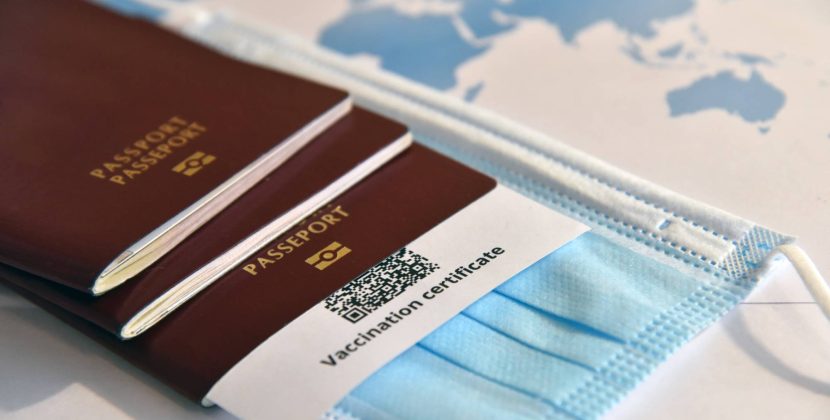
    In 2026, your eMedical Information Sheet contains a secure QR code. You can scan this with your phone to see a real-time timestamp of when the clinic uploaded your results. If a Case Officer asks for "Proof of Health," uploading a scan of this "Submitted" sheet is the best evidence you can provide.

  • Study

    In 2026, the link between Bupa Medical Visa Services (MVS) and the Department of Home Affairs is entirely digital via the eMedical system. Tracking your results is no longer a guessing game; you can monitor the transition from "Examined" to "Submitted" to "Cleared" using two specific online portals.


    1. The Two-Step Tracking System

    To get a full picture of where your results are, you must check both the clinic's submission status and the Department's receipt status.


    Step 1: Use the eMedical Client Portal (Clinic Status)

    This is the fastest way to see if Bupa has actually finished their work.

    1. Go to the eMedical Client Login.
    2. Enter your HAP ID, Family Name, and Date of Birth.
    3. Click 'Save and Print Information Sheet'.
      • "In Progress": If it says "The status of an individual examination will not appear as complete until your case has been submitted," Bupa is still reviewing your file.
      • "Submitted": If it says "Your eMedical case has been submitted to the Department," Bupa has sent the data. 


    Step 2: Check ImmiAccount (Department Status)

    Once submitted, you must check if the Department has cleared you.

    1. Log into your ImmiAccount.
    2. Click 'View Details' on your application.
    3. Navigate to the 'Health Assessment' tab.
    4. Look for the status "Health clearance provided". This is the final confirmation that you have met the health requirement.


    2. 2026 Turnaround Times

    Bupa results usually move through the system within the following windows:

    Stage2026 Timeline
    Lab Processing24–48 Hours (Blood/Urine/X-ray)
    Bupa Review & Submission3–5 Business Days
    ImmiAccount SyncInstant (Once submitted by Bupa)
    Final Health ClearanceWithin minutes to 48 hours after submission


    3. What to Do if Results are Delayed

    If your status hasn't moved to "Submitted" after 7 business days, take these actions:

    • Check for "884 Letters": Look in your email or ImmiAccount for an "Opinion of a Medical Officer of the Commonwealth" (Letter 884). This means they need more info or a specialist report. 
    • Contact Bupa MVS: Call 1300 794 919. Ask specifically: "Has my eMedical case been submitted to Home Affairs?"
    • Pathology Request: If you need the raw results for your own records (e.g., for work as a nurse or doctor), you must fill out the Bupa Pathology Request Form online, as results are not automatically emailed to you. 


    4. 2026 Pro-Tip: The "QR Verification"

    In 2026, your eMedical Information Sheet contains a secure QR code. You can scan this with your phone to see a real-time timestamp of when the clinic uploaded your results. If a Case Officer asks for "Proof of Health," uploading a scan of this "Submitted" sheet is the best evidence you can provide.

  • Work

    In 2026, the link between Bupa Medical Visa Services (MVS) and the Department of Home Affairs is entirely digital via the eMedical system. Tracking your results is no longer a guessing game; you can monitor the transition from "Examined" to "Submitted" to "Cleared" using two specific online portals.


    1. The Two-Step Tracking System

    To get a full picture of where your results are, you must check both the clinic's submission status and the Department's receipt status.


    Step 1: Use the eMedical Client Portal (Clinic Status)

    This is the fastest way to see if Bupa has actually finished their work.

    1. Go to the eMedical Client Login.
    2. Enter your HAP ID, Family Name, and Date of Birth.
    3. Click 'Save and Print Information Sheet'.
      • "In Progress": If it says "The status of an individual examination will not appear as complete until your case has been submitted," Bupa is still reviewing your file.
      • "Submitted": If it says "Your eMedical case has been submitted to the Department," Bupa has sent the data. 


    Step 2: Check ImmiAccount (Department Status)

    Once submitted, you must check if the Department has cleared you.

    1. Log into your ImmiAccount.
    2. Click 'View Details' on your application.
    3. Navigate to the 'Health Assessment' tab.
    4. Look for the status "Health clearance provided". This is the final confirmation that you have met the health requirement.


    2. 2026 Turnaround Times

    Bupa results usually move through the system within the following windows:

    Stage2026 Timeline
    Lab Processing24–48 Hours (Blood/Urine/X-ray)
    Bupa Review & Submission3–5 Business Days
    ImmiAccount SyncInstant (Once submitted by Bupa)
    Final Health ClearanceWithin minutes to 48 hours after submission


    3. What to Do if Results are Delayed

    If your status hasn't moved to "Submitted" after 7 business days, take these actions:

    • Check for "884 Letters": Look in your email or ImmiAccount for an "Opinion of a Medical Officer of the Commonwealth" (Letter 884). This means they need more info or a specialist report. 
    • Contact Bupa MVS: Call 1300 794 919. Ask specifically: "Has my eMedical case been submitted to Home Affairs?"
    • Pathology Request: If you need the raw results for your own records (e.g., for work as a nurse or doctor), you must fill out the Bupa Pathology Request Form online, as results are not automatically emailed to you. 


    4. 2026 Pro-Tip: The "QR Verification"

    In 2026, your eMedical Information Sheet contains a secure QR code. You can scan this with your phone to see a real-time timestamp of when the clinic uploaded your results. If a Case Officer asks for "Proof of Health," uploading a scan of this "Submitted" sheet is the best evidence you can provide.

  • Living in Australia

    In 2026, the link between Bupa Medical Visa Services (MVS) and the Department of Home Affairs is entirely digital via the eMedical system. Tracking your results is no longer a guessing game; you can monitor the transition from "Examined" to "Submitted" to "Cleared" using two specific online portals.


    1. The Two-Step Tracking System

    To get a full picture of where your results are, you must check both the clinic's submission status and the Department's receipt status.


    Step 1: Use the eMedical Client Portal (Clinic Status)

    This is the fastest way to see if Bupa has actually finished their work.

    1. Go to the eMedical Client Login.
    2. Enter your HAP ID, Family Name, and Date of Birth.
    3. Click 'Save and Print Information Sheet'.
      • "In Progress": If it says "The status of an individual examination will not appear as complete until your case has been submitted," Bupa is still reviewing your file.
      • "Submitted": If it says "Your eMedical case has been submitted to the Department," Bupa has sent the data. 


    Step 2: Check ImmiAccount (Department Status)

    Once submitted, you must check if the Department has cleared you.

    1. Log into your ImmiAccount.
    2. Click 'View Details' on your application.
    3. Navigate to the 'Health Assessment' tab.
    4. Look for the status "Health clearance provided". This is the final confirmation that you have met the health requirement.


    2. 2026 Turnaround Times

    Bupa results usually move through the system within the following windows:

    Stage2026 Timeline
    Lab Processing24–48 Hours (Blood/Urine/X-ray)
    Bupa Review & Submission3–5 Business Days
    ImmiAccount SyncInstant (Once submitted by Bupa)
    Final Health ClearanceWithin minutes to 48 hours after submission


    3. What to Do if Results are Delayed

    If your status hasn't moved to "Submitted" after 7 business days, take these actions:

    • Check for "884 Letters": Look in your email or ImmiAccount for an "Opinion of a Medical Officer of the Commonwealth" (Letter 884). This means they need more info or a specialist report. 
    • Contact Bupa MVS: Call 1300 794 919. Ask specifically: "Has my eMedical case been submitted to Home Affairs?"
    • Pathology Request: If you need the raw results for your own records (e.g., for work as a nurse or doctor), you must fill out the Bupa Pathology Request Form online, as results are not automatically emailed to you. 


    4. 2026 Pro-Tip: The "QR Verification"

    In 2026, your eMedical Information Sheet contains a secure QR code. You can scan this with your phone to see a real-time timestamp of when the clinic uploaded your results. If a Case Officer asks for "Proof of Health," uploading a scan of this "Submitted" sheet is the best evidence you can provide.

    • Accommodation
    • Banking
    • Food
    • Lifestyle
    • Health & Wellness
  • Travel

    In 2026, the link between Bupa Medical Visa Services (MVS) and the Department of Home Affairs is entirely digital via the eMedical system. Tracking your results is no longer a guessing game; you can monitor the transition from "Examined" to "Submitted" to "Cleared" using two specific online portals.


    1. The Two-Step Tracking System

    To get a full picture of where your results are, you must check both the clinic's submission status and the Department's receipt status.


    Step 1: Use the eMedical Client Portal (Clinic Status)

    This is the fastest way to see if Bupa has actually finished their work.

    1. Go to the eMedical Client Login.
    2. Enter your HAP ID, Family Name, and Date of Birth.
    3. Click 'Save and Print Information Sheet'.
      • "In Progress": If it says "The status of an individual examination will not appear as complete until your case has been submitted," Bupa is still reviewing your file.
      • "Submitted": If it says "Your eMedical case has been submitted to the Department," Bupa has sent the data. 


    Step 2: Check ImmiAccount (Department Status)

    Once submitted, you must check if the Department has cleared you.

    1. Log into your ImmiAccount.
    2. Click 'View Details' on your application.
    3. Navigate to the 'Health Assessment' tab.
    4. Look for the status "Health clearance provided". This is the final confirmation that you have met the health requirement.


    2. 2026 Turnaround Times

    Bupa results usually move through the system within the following windows:

    Stage2026 Timeline
    Lab Processing24–48 Hours (Blood/Urine/X-ray)
    Bupa Review & Submission3–5 Business Days
    ImmiAccount SyncInstant (Once submitted by Bupa)
    Final Health ClearanceWithin minutes to 48 hours after submission


    3. What to Do if Results are Delayed

    If your status hasn't moved to "Submitted" after 7 business days, take these actions:

    • Check for "884 Letters": Look in your email or ImmiAccount for an "Opinion of a Medical Officer of the Commonwealth" (Letter 884). This means they need more info or a specialist report. 
    • Contact Bupa MVS: Call 1300 794 919. Ask specifically: "Has my eMedical case been submitted to Home Affairs?"
    • Pathology Request: If you need the raw results for your own records (e.g., for work as a nurse or doctor), you must fill out the Bupa Pathology Request Form online, as results are not automatically emailed to you. 


    4. 2026 Pro-Tip: The "QR Verification"

    In 2026, your eMedical Information Sheet contains a secure QR code. You can scan this with your phone to see a real-time timestamp of when the clinic uploaded your results. If a Case Officer asks for "Proof of Health," uploading a scan of this "Submitted" sheet is the best evidence you can provide.

  • Visa & Immigration

    In 2026, the link between Bupa Medical Visa Services (MVS) and the Department of Home Affairs is entirely digital via the eMedical system. Tracking your results is no longer a guessing game; you can monitor the transition from "Examined" to "Submitted" to "Cleared" using two specific online portals.


    1. The Two-Step Tracking System

    To get a full picture of where your results are, you must check both the clinic's submission status and the Department's receipt status.


    Step 1: Use the eMedical Client Portal (Clinic Status)

    This is the fastest way to see if Bupa has actually finished their work.

    1. Go to the eMedical Client Login.
    2. Enter your HAP ID, Family Name, and Date of Birth.
    3. Click 'Save and Print Information Sheet'.
      • "In Progress": If it says "The status of an individual examination will not appear as complete until your case has been submitted," Bupa is still reviewing your file.
      • "Submitted": If it says "Your eMedical case has been submitted to the Department," Bupa has sent the data. 


    Step 2: Check ImmiAccount (Department Status)

    Once submitted, you must check if the Department has cleared you.

    1. Log into your ImmiAccount.
    2. Click 'View Details' on your application.
    3. Navigate to the 'Health Assessment' tab.
    4. Look for the status "Health clearance provided". This is the final confirmation that you have met the health requirement.


    2. 2026 Turnaround Times

    Bupa results usually move through the system within the following windows:

    Stage2026 Timeline
    Lab Processing24–48 Hours (Blood/Urine/X-ray)
    Bupa Review & Submission3–5 Business Days
    ImmiAccount SyncInstant (Once submitted by Bupa)
    Final Health ClearanceWithin minutes to 48 hours after submission


    3. What to Do if Results are Delayed

    If your status hasn't moved to "Submitted" after 7 business days, take these actions:

    • Check for "884 Letters": Look in your email or ImmiAccount for an "Opinion of a Medical Officer of the Commonwealth" (Letter 884). This means they need more info or a specialist report. 
    • Contact Bupa MVS: Call 1300 794 919. Ask specifically: "Has my eMedical case been submitted to Home Affairs?"
    • Pathology Request: If you need the raw results for your own records (e.g., for work as a nurse or doctor), you must fill out the Bupa Pathology Request Form online, as results are not automatically emailed to you. 


    4. 2026 Pro-Tip: The "QR Verification"

    In 2026, your eMedical Information Sheet contains a secure QR code. You can scan this with your phone to see a real-time timestamp of when the clinic uploaded your results. If a Case Officer asks for "Proof of Health," uploading a scan of this "Submitted" sheet is the best evidence you can provide.

    • Family & Partner Visas
    • Permanent Residency (PR)
    • Student Visas
    • Work & Skilled Visas
  • Parents Hub

    In 2026, the link between Bupa Medical Visa Services (MVS) and the Department of Home Affairs is entirely digital via the eMedical system. Tracking your results is no longer a guessing game; you can monitor the transition from "Examined" to "Submitted" to "Cleared" using two specific online portals.


    1. The Two-Step Tracking System

    To get a full picture of where your results are, you must check both the clinic's submission status and the Department's receipt status.


    Step 1: Use the eMedical Client Portal (Clinic Status)

    This is the fastest way to see if Bupa has actually finished their work.

    1. Go to the eMedical Client Login.
    2. Enter your HAP ID, Family Name, and Date of Birth.
    3. Click 'Save and Print Information Sheet'.
      • "In Progress": If it says "The status of an individual examination will not appear as complete until your case has been submitted," Bupa is still reviewing your file.
      • "Submitted": If it says "Your eMedical case has been submitted to the Department," Bupa has sent the data. 


    Step 2: Check ImmiAccount (Department Status)

    Once submitted, you must check if the Department has cleared you.

    1. Log into your ImmiAccount.
    2. Click 'View Details' on your application.
    3. Navigate to the 'Health Assessment' tab.
    4. Look for the status "Health clearance provided". This is the final confirmation that you have met the health requirement.


    2. 2026 Turnaround Times

    Bupa results usually move through the system within the following windows:

    Stage2026 Timeline
    Lab Processing24–48 Hours (Blood/Urine/X-ray)
    Bupa Review & Submission3–5 Business Days
    ImmiAccount SyncInstant (Once submitted by Bupa)
    Final Health ClearanceWithin minutes to 48 hours after submission


    3. What to Do if Results are Delayed

    If your status hasn't moved to "Submitted" after 7 business days, take these actions:

    • Check for "884 Letters": Look in your email or ImmiAccount for an "Opinion of a Medical Officer of the Commonwealth" (Letter 884). This means they need more info or a specialist report. 
    • Contact Bupa MVS: Call 1300 794 919. Ask specifically: "Has my eMedical case been submitted to Home Affairs?"
    • Pathology Request: If you need the raw results for your own records (e.g., for work as a nurse or doctor), you must fill out the Bupa Pathology Request Form online, as results are not automatically emailed to you. 


    4. 2026 Pro-Tip: The "QR Verification"

    In 2026, your eMedical Information Sheet contains a secure QR code. You can scan this with your phone to see a real-time timestamp of when the clinic uploaded your results. If a Case Officer asks for "Proof of Health," uploading a scan of this "Submitted" sheet is the best evidence you can provide.

  • Student Hub

    In 2026, the link between Bupa Medical Visa Services (MVS) and the Department of Home Affairs is entirely digital via the eMedical system. Tracking your results is no longer a guessing game; you can monitor the transition from "Examined" to "Submitted" to "Cleared" using two specific online portals.


    1. The Two-Step Tracking System

    To get a full picture of where your results are, you must check both the clinic's submission status and the Department's receipt status.


    Step 1: Use the eMedical Client Portal (Clinic Status)

    This is the fastest way to see if Bupa has actually finished their work.

    1. Go to the eMedical Client Login.
    2. Enter your HAP ID, Family Name, and Date of Birth.
    3. Click 'Save and Print Information Sheet'.
      • "In Progress": If it says "The status of an individual examination will not appear as complete until your case has been submitted," Bupa is still reviewing your file.
      • "Submitted": If it says "Your eMedical case has been submitted to the Department," Bupa has sent the data. 


    Step 2: Check ImmiAccount (Department Status)

    Once submitted, you must check if the Department has cleared you.

    1. Log into your ImmiAccount.
    2. Click 'View Details' on your application.
    3. Navigate to the 'Health Assessment' tab.
    4. Look for the status "Health clearance provided". This is the final confirmation that you have met the health requirement.


    2. 2026 Turnaround Times

    Bupa results usually move through the system within the following windows:

    Stage2026 Timeline
    Lab Processing24–48 Hours (Blood/Urine/X-ray)
    Bupa Review & Submission3–5 Business Days
    ImmiAccount SyncInstant (Once submitted by Bupa)
    Final Health ClearanceWithin minutes to 48 hours after submission


    3. What to Do if Results are Delayed

    If your status hasn't moved to "Submitted" after 7 business days, take these actions:

    • Check for "884 Letters": Look in your email or ImmiAccount for an "Opinion of a Medical Officer of the Commonwealth" (Letter 884). This means they need more info or a specialist report. 
    • Contact Bupa MVS: Call 1300 794 919. Ask specifically: "Has my eMedical case been submitted to Home Affairs?"
    • Pathology Request: If you need the raw results for your own records (e.g., for work as a nurse or doctor), you must fill out the Bupa Pathology Request Form online, as results are not automatically emailed to you. 


    4. 2026 Pro-Tip: The "QR Verification"

    In 2026, your eMedical Information Sheet contains a secure QR code. You can scan this with your phone to see a real-time timestamp of when the clinic uploaded your results. If a Case Officer asks for "Proof of Health," uploading a scan of this "Submitted" sheet is the best evidence you can provide.

Category: Health & Wellness

  • Home
  • Health & Wellness
How to Track Your Bupa Visa Medical Results (2026 Guide)

How to Track Your Bupa Visa Medical Results (2026 Guide)

  • Sara
  • May 20, 2026
  • 3 min read
  • 62
Bupa Visa Medical Locations: Find a Centre Near You (2026)

Bupa Visa Medical Locations: Find a Centre Near You (2026)

  • Aarav
  • May 20, 2026
  • 2 min read
  • 49
Processing Time for Bupa Results to Reach ImmiAccount (2026)

Processing Time for Bupa Results to Reach ImmiAccount (2026)

  • Sara
  • May 20, 2026
  • 3 min read
  • 52
Visa Status Received but Health Not Started? (2026 ImmiAccount Guide)

Visa Status Received but Health Not Started? (2026 ImmiAccount Guide)

  • Maithili
  • May 20, 2026
  • 3 min read
  • 47
Why is 'Organise Health Examinations' Link Missing? (2026 Fix)

Why is ‘Organise Health Examinations’ Link Missing? (2026 Fix)

  • Sara
  • May 20, 2026
  • 4 min read
  • 35
How to Find Your TRN and HAP ID in ImmiAccount (2026 Guide)

How to Find Your TRN and HAP ID in ImmiAccount (2026 Guide)

  • Aarav
  • May 20, 2026
  • 3 min read
  • 60
Is it Cheaper to Do a Re-Medical Overseas or in Australia? (2026)

Is it Cheaper to Do a Re-Medical Overseas or in Australia? (2026)

  • Maithili
  • May 19, 2026
  • 3 min read
  • 40
How to Check Australian Visa Medical Expiry Date (2026 Guide)

How to Check Australian Visa Medical Expiry Date (2026 Guide)

  • Sara
  • May 19, 2026
  • 3 min read
  • 78
Top Tips to Avoid Repeating Your Visa Medical in 2026

Top Tips to Avoid Repeating Your Visa Medical in 2026

  • Aarav
  • May 19, 2026
  • 4 min read
  • 50
Track eMedical Results Status Online for Australian Visa (2026 Guide)

Track eMedical Results Status Online for Australian Visa (2026 Guide)

  • Maithili
  • May 19, 2026
  • 3 min read
  • 62
  • Prev.
  • 1
  • 2
  • 3
  • 4
  • 5
  • 6
  • …
  • 15
  • Next

Popular Post

Top 10 High-Interest Savings Accounts Australia: A Student Guide

Top 10 High-Interest Savings Accounts Australia: A Student Guide (538)

  • Aarav
  • March 6, 2026
Regional Australia Postcode List 2026: The “Extra 5 Points” Guide

Regional Australia Postcode List 2026: The “Extra 5 Points” Guide (507)

  • Maithili
  • March 17, 2026
Australia Student Visa Refund Policy: Rejection Guide

Australia Student Visa Refund Policy: Rejection Guide (474)

  • Sara
  • March 9, 2026
Felix Mobile Review 2026: Is the $20 Unlimited Data Plan Worth It?

Felix Mobile Review 2026: Is the $20 Unlimited Data Plan Worth It? (458)

  • Aarav
  • March 25, 2026
Telstra vs Optus vs Vodafone 2026: Australia’s Best Network Comparison

Telstra vs Optus vs Vodafone 2026: Australia’s Best Network Comparison (449)

  • Maithili
  • March 16, 2026

Newsletter

Weather

Dhaka
light rain
26℃
humidity: 85%
wind: 2.82 km/h
  • 26℃
    Thu
  • 30℃
    Fri
  • 31℃
    Sat
  • 32℃
    Sun
  • 32℃
    Mon
  • 29℃
    Tue
  • 33℃
    Wed

How to Spot Authentic Australian-Made Skincare Products (2026)

  • Buhgalteri_blMr
  • 17 Jul 2026

How to Spot Authentic Australian-Made Skincare Products (2026)

  • Buhgalteri_yqMr
  • 17 Jul 2026

How to Spot Authentic Australian-Made Skincare Products (2026)

  • buhgalters_fypn
  • 12 Jul 2026

How to Spot Authentic Australian-Made Skincare Products (2026)

  • stoleshnic_sqEn
  • 9 Jul 2026

How to Spot Authentic Australian-Made Skincare Products (2026)

  • dizaynersk_udOn
  • 9 Jul 2026
Australia Student & Expat Resource Hub | NammAustralia

Nammaustralia is a practical guide for international students moving to Australia. We cover visas, jobs, accommodation, cost of living, and PR pathways with clear, research-based insights for Indian and GCC students.

Disclaimer: The information provided is for general informational purposes only. Please verify details with official sources. We are not liable for decisions made based on this content.

Start Your Journey

  • Pre-Departure Checklist
  • First 48 Hours Guide
  • Student Visa 500 Guide
  • Student Budget 2026
  • TFN Application Guide

Explore by Topic

  • Study in Australia
  • Work in Australia
  • PR & Immigration
  • Accommodation
  • Life in Australia

© 2026 Nammaustralia. All rights reserved.

  • Privacy Policy
  • Disclaimer
  • Terms of Use
✉

Living in or moving to Australia?

Join 2,400+ expats getting weekly guides on banking, accommodation, visas & student life in Australia

🔒  No spam. Unsubscribe anytime.