








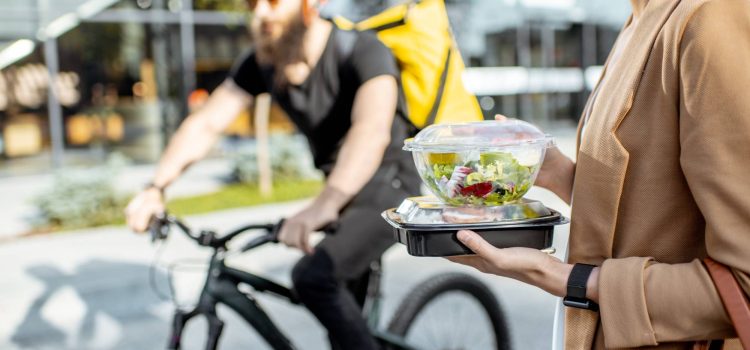
If you pick up passengers on Uber Rideshare during the morning rush and switch over to delivering meals for Uber Eats, DoorDash, or Menulog in the evening, you are playing the gig economy efficiently. Juggling multiple apps is the ultimate way to maximize your hourly earnings.
However, many casual drivers operate under a massive misconception: they think that because they receive a patchwork of small payouts from different digital apps, their earnings roll under the government’s radar.
The short answer is yes, the Australian Taxation Office (ATO) knows exactly how much you earn from both ridesharing and food delivery. In fact, they don’t just know at tax time—they receive automated reports about your work throughout the entire year.
Here is exactly how the ATO monitors your multi-app side hustles, how the different tax rules interact, and how to avoid an unexpected compliance audit.
The SERR System: Total Visibility for Digital Marketplaces
Historically, the tax office had to run manual, case-by-case data-matching programs targeting individual bank logs. Those days are gone.
Under the federal Sharing Economy Reporting Regime (SERR), digital platform operators are legally mandated to hand over their entire seller databases directly to the ATO.
The SERR framework operates on a strict timeline across different blocks:
- Ridesharing and Taxi Travel: Platforms (like Uber and DiDi) have been automatically uploading aggregate driver identification and payment data directly to the tax office twice a year.
- Food Delivery and Task Apps: The reporting law covers all electronic distribution marketplaces facilitating services. This means companies like Uber Eats, DoorDash, Menulog, and Airtasker are also legally required to report every single dollar sent to your bank account.
Every six months (by 31 January and 31 July), these applications generate massive data files containing your full legal name, date of birth, contact details, Australian Business Number (ABN), and the exact total of your gross transaction fees. The ATO’s automated data-matching systems immediately look up your individual Tax File Number (TFN) profile and link the income to your account.
The Trap: Combining the Split Tax Rules
When you do both rideshare and food delivery, your tax obligations are split into two completely different frameworks. Mixing them up is one of the quickest ways to trigger an automated ATO warning flag.
| Feature / Obligation | Uber Rideshare (Passengers) | Uber Eats / DoorDash (Food Delivery) |
| GST Registration | Compulsory from Dollar One. You must register for GST immediately, regardless of your annual turnover. | Optional under a $75,000 threshold. (Unless you also do rideshare under the same ABN). |
| Reporting Income | Must report gross sales and lodge a Business Activity Statement (BAS) quarterly or annually. | Reported on your year-end Individual Tax Return as Sole Trader Business Income. |
| The “Contagion” Risk | Not Applicable | High. If you activate GST for rideshare, it automatically applies to your food delivery too. |
⚠️ The GST Contagion Trap: Because you operate as a Sole Trader, your ABN represents you as a single legal entity. If you register your ABN for GST because you drive passengers for Uber, that GST status legally attaches to all income generated under that ABN. You must start paying 10% GST on your food delivery earnings and independent freelance side hustles too, even if those delivery apps don’t require it themselves.
Action Plan: Navigating Your Combined App Taxes
If you have been driving both streams without tracking your tax liabilities accurately, you can fix your position using this organized sequence:
1.Separate Your Income Streams Meticulously
Step 1.
Log into your respective driver dashboards via a web browser. Download your Official Annual Tax Summaries. Create a clear distinction between your total passenger fares (which include GST liabilities) and your total food delivery fees.
2.Calculate and Remit Your Rideshare GST
Step 2.
Put aside 1/11th of your total gross rideshare fares to pay your quarterly BAS debt. Remember that you can claim back the GST built into your work-related business expenses—like fuel, vehicle maintenance, and phone data plans.
3.Pool Your Net Income for Your Tax Return
Step 3.
Add your net rideshare profits (gross fares minus expenses and GST paid) to your net food delivery profits. This combined figure represents your true Sole Trader business profit. Enter this final amount under the Business and Professional Items section of your individual myTax return.
4.Establish a 30% Tax Savings Account
Step 4.
Because rideshare and delivery apps do not withhold tax automatically on your pay runs, your combined earnings stack on top of any regular day-job salary. Open a dedicated savings account and deposit 30% of your weekly payouts into it to easily cover your final bill.




Comments
Contacting Your University International Office: List of Numbers (2026)
Contacting Your University International Office: List of Numbers (2026)
Contacting Your University International Office: List of Numbers (2026)
Retail vs Warehouse Pay: Which Sunday Shift Earns More in 2026?
3 Ways to Prove Genuine Regional Residence While Working Remotely (2026)